Taking notes is easy.
The real problem is:
- organizing information
- remembering important points
- revising efficiently later
That’s why AI note-taking tools are growing rapidly in 2026.
Instead of manually writing everything, modern AI tools can:
- summarize lectures
- transcribe meetings
- organize research
- generate structured notes
- help with faster revision
Whether you’re a student, researcher, creator, or professional, the right AI note-taking tool can save hours every week.
In this guide, we tested the best AI tools for note taking based on:
- usability
- AI summarization quality
- workflow efficiency
- collaboration features
- pricing
- real-world usefulness
Table of Contents
⚡ Quick Answer
The best AI tools for note taking in 2026 include:
- Notion AI
- Otter AI
- NotebookLM
- Mem AI
- Evernote AI
- Obsidian AI plugins
Each tool works better for different use cases like studying, meetings, brainstorming, or research organization.
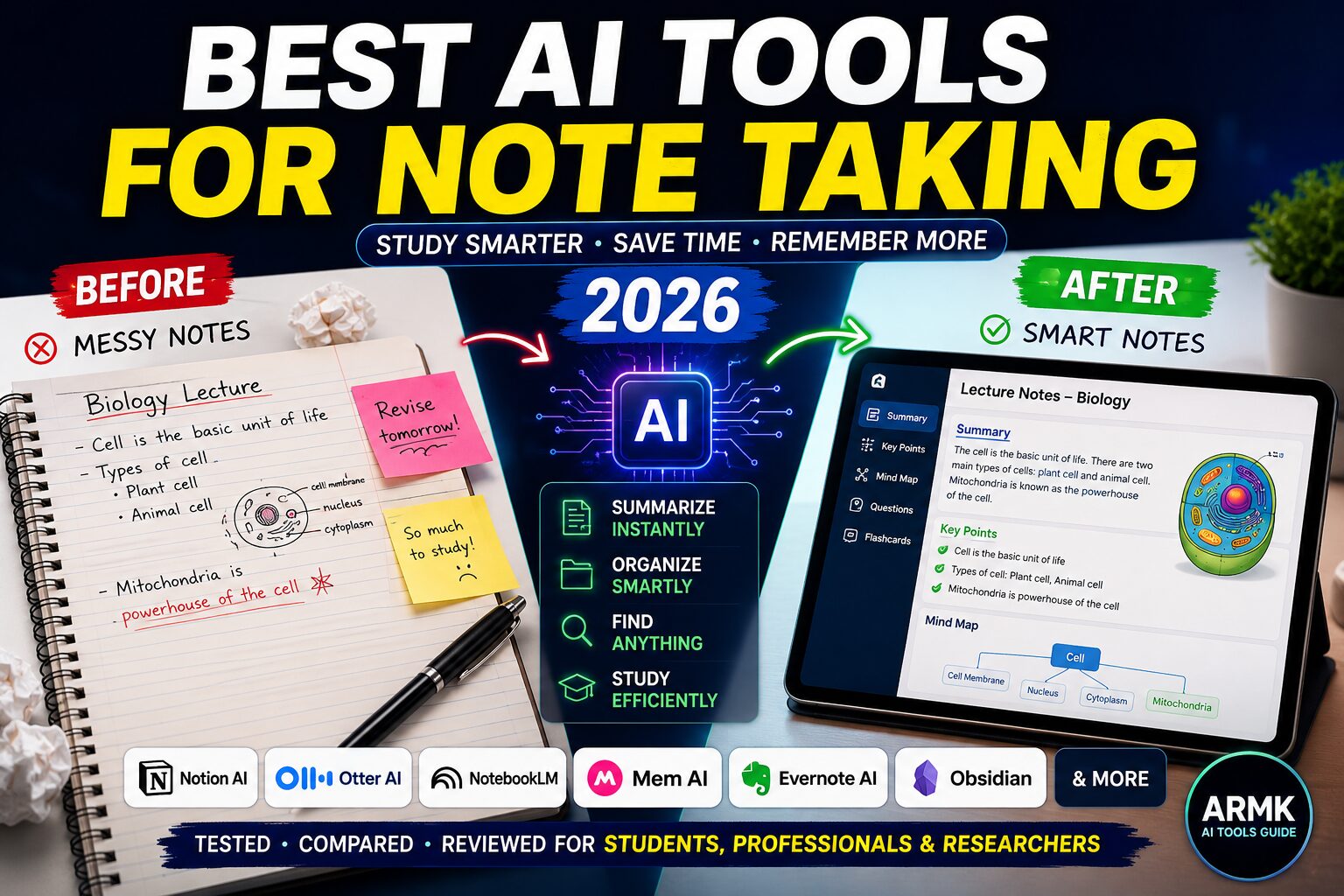
Below is a visual overview comparing manual note-taking vs AI-powered note organization.
Why AI Note-Taking Tools Are Growing Fast in 2026
People consume more information than ever before.
Students attend online classes.
Researchers handle large PDFs.
Professionals sit in back-to-back meetings.
Traditional note-taking often creates:
- messy notes
- poor organization
- information overload
- weak revision systems
AI note-taking tools solve this by helping users:
- summarize information instantly
- search notes faster
- organize ideas automatically
- generate actionable insights
That’s why these tools are becoming part of modern study and productivity workflows.
How We Evaluated These AI Note-Taking Tools
To make this guide practical instead of generic, we evaluated tools based on:
| Criteria | Why It Matters |
|---|---|
| AI summarization | Faster understanding |
| Organization system | Better retrieval later |
| Transcription quality | Accurate lecture/meeting notes |
| Collaboration | Useful for teams & students |
| Search functionality | Faster navigation |
| Export support | Easy sharing & backup |
| Pricing | Value for students & professionals |
Unlike many list posts, this guide focuses on real workflows—not just features.
Best AI Tools for Note Taking in 2026
1. Notion AI — Best Overall for Students & Knowledge Management
Notion AI combines note-taking, organization, task management, and AI assistance in one platform.
It’s ideal for students and creators who want an all-in-one workspace.
Best For
- Students
- Researchers
- Content creators
- Productivity workflows
Key Features
- AI summaries
- Smart writing assistance
- Note organization
- Databases & templates
- Collaborative workspaces
Strengths
- Extremely flexible
- Excellent organization
- Good for long-term note systems
Weaknesses
- Slight learning curve
- Can become cluttered if poorly organized
Free vs Paid
- Free version available
- AI features require premium plan
Real Workflow Example
A student can:
- store lecture notes
- summarize chapters
- create revision dashboards
- organize assignments
👉 Related: Best AI Writing Tools for Academic Research
2. Otter AI — Best for Lectures & Meetings
Otter AI specializes in transcription and live note generation.
It’s excellent for:
- online lectures
- interviews
- meetings
- webinars
Best For
- Students attending lectures
- Professionals
- Researchers conducting interviews
Key Features
- Real-time transcription
- Speaker identification
- AI-generated summaries
- Meeting highlights
Strengths
- Fast transcription
- Easy lecture capture
- Good collaboration features
Weaknesses
- Accuracy depends on audio quality
- Free version has limitations
Free vs Paid
- Free plan available
- Premium unlocks longer recordings
Real Workflow Example
Students can record lectures and instantly generate searchable summaries for revision.
👉 Related: How to Use ChatGPT for Exam Preparation
3. NotebookLM — Best for Research & PDF-Based Learning
NotebookLM is one of the most underrated AI research tools in 2026.
Built by Google, it helps users analyze PDFs, notes, and research material intelligently.
Best For
- Research papers
- Literature review
- Academic workflows
- Deep study sessions
Key Features
- PDF understanding
- AI summaries
- Context-aware responses
- Research-based note organization
Strengths
- Excellent for long documents
- Strong contextual understanding
- Useful for academic workflows
Weaknesses
- Limited outside research workflows
- Still evolving rapidly
Free vs Paid
- Currently free in many regions
Real Workflow Example
Researchers can upload multiple papers and ask:
- “Summarize findings”
- “Compare methodologies”
- “Extract key conclusions”
👉 Related: Best AI Tools for Literature Review
4. Mem AI — Best for Brainstorming & Idea Organization
Mem AI focuses on smart organization and connected thinking.
Instead of folders, it uses AI to connect related ideas automatically.
Best For
- Creators
- Founders
- Writers
- Brainstorming workflows
Key Features
- AI-powered organization
- Smart search
- Linked notes
- Quick capture system
Strengths
- Minimal interface
- Fast idea retrieval
- Great for creative thinking
Weaknesses
- Less structured for academic workflows
- Smaller ecosystem
Free vs Paid
- Limited free version available
Real Workflow Example
Writers can quickly save random ideas and let AI connect related thoughts automatically.
5. Evernote AI — Best for Traditional Users Upgrading to AI
Evernote remains popular among users who prefer traditional notebook-style systems.
Its AI upgrades improve productivity and summarization.
Best For
- Existing Evernote users
- General productivity
- Personal note management
Key Features
- AI search
- Smart summaries
- Multi-device sync
- Web clipping
Strengths
- Simple interface
- Reliable syncing
- Good ecosystem
Weaknesses
- Premium plans expensive
- Less innovative than newer competitors
Free vs Paid
- Free version available
- Premium unlocks advanced features
Real Workflow Example
Professionals can organize meeting notes, screenshots, and research in one searchable workspace.
6. Obsidian + AI Plugins — Best for Power Users & Deep Knowledge Management
Obsidian is not beginner-friendly—but it’s one of the most powerful systems for long-term knowledge management.
With AI plugins, it becomes a serious research and note-taking powerhouse.
Best For
- Researchers
- Advanced students
- PKM enthusiasts
- Writers
Key Features
- Linked notes
- Local-first storage
- AI plugins
- Graph-based organization
Strengths
- Extremely powerful
- Deep customization
- Excellent for long-term knowledge systems
Weaknesses
- Steep learning curve
- Requires setup effort
Free vs Paid
- Core app is free
Real Workflow Example
PhD students can build interconnected research databases with linked concepts and AI-assisted summaries.
👉 Related: AI Workflow for PhD Students
Which AI Note-Taking Tool Is Best for You?
| Use Case | Best Tool |
|---|---|
| Students | Notion AI |
| Lectures | Otter AI |
| Research papers | NotebookLM |
| Deep knowledge management | Obsidian |
| Meetings & teams | Otter AI |
| Brainstorming | Mem AI |
Manual Notes vs AI Note-Taking Tools
| Feature | Manual Notes | AI Note Tools |
|---|---|---|
| Speed | Slow | Fast |
| Organization | Manual | Automated |
| Searchability | Limited | Instant |
| Summarization | Manual | AI-generated |
| Revision | Harder | Easier |
| Collaboration | Limited | Easy |
Real Example: Using AI to Summarize a Lecture
Without AI
Students often:
- miss important points
- write incomplete notes
- struggle during revision
With AI Note-Taking Tools
AI tools can:
- transcribe lectures
- generate summaries
- highlight important concepts
- organize notes automatically
Result
✔ faster revision
✔ better organization
✔ reduced study stress
👉 Related: ChatGPT Prompts for Students (2026)
Common Mistakes When Using AI Note-Taking Tools
Many users still use these tools incorrectly.
Common mistakes include:
- collecting notes without reviewing them
- blindly trusting AI summaries
- poor organization habits
- saving too much unnecessary information
👉 Related: 7 Mistakes Students Make Using AI Tools
Limitations of AI Note-Taking Tools
Let’s be realistic.
AI note-taking tools are helpful—but not perfect.
Possible limitations:
- transcription mistakes
- privacy concerns
- inaccurate summaries sometimes
- over-dependence on automation
AI should assist your learning process—not replace critical thinking.
FAQs
1. Which is the best AI note-taking tool for students?
Notion AI is one of the best overall options for students because it combines notes, organization, and AI assistance in one platform.
2. Can AI summarize lecture notes automatically?
Yes. Tools like Otter AI and NotebookLM can summarize lectures and generate structured notes automatically.
3. Is NotebookLM good for research?
Yes. NotebookLM is excellent for handling PDFs, research papers, and literature review workflows.
4. Are free AI note-taking tools enough?
Free versions work well for casual users, but advanced workflows usually require premium features.
5. Can AI note-taking tools replace manual notes?
Not completely. AI tools improve speed and organization, but active learning and understanding still matter.
Final Thoughts 🚀
AI note-taking tools are changing how people learn, organize, and manage information in 2026.
But the best tool depends on your workflow.
- Students may prefer Notion AI
- Researchers may prefer NotebookLM
- Professionals may prefer Otter AI
- Power users may love Obsidian
The goal is not to collect more notes.
The goal is to understand and use information better.
At AI Tools Guide, we don’t hype tools — we test how AI actually works.
For students, creators, and professionals, AI note-taking tools are not magic shortcuts—they’re productivity amplifiers when used correctly.