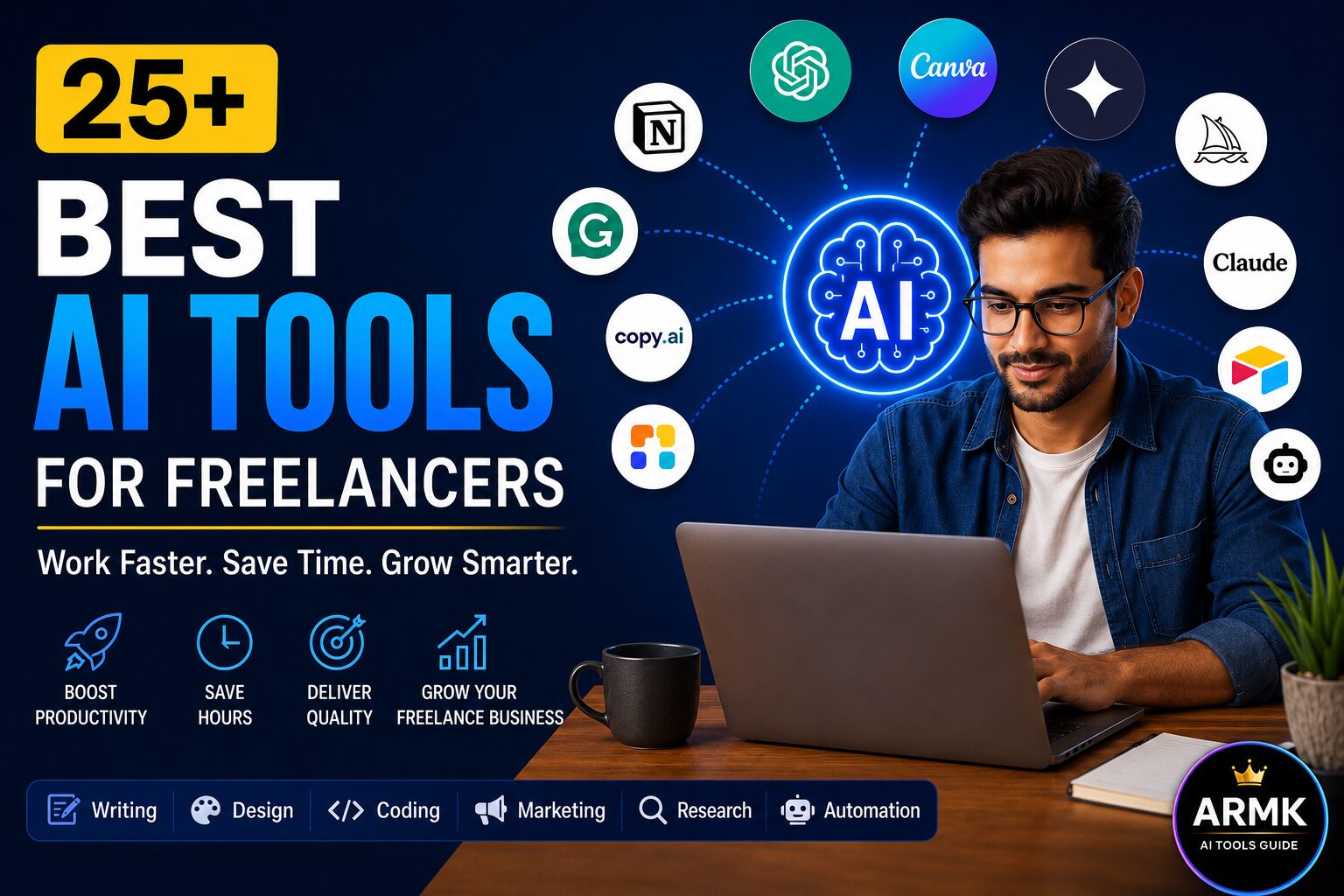
Freelancers don’t need dozens of AI tools—they need the right tools for the right job.
Whether you’re writing proposals, communicating with clients, managing projects, designing content, or automating repetitive tasks, the right AI tools can save hours every week without compromising quality.
Instead of listing random AI apps, this guide recommends the best tools for each stage of the freelancer workflow, helping you build a practical toolkit that fits your work, budget, and goals.
Quick Answer
The best AI tools for freelancers in 2026 depend on what you do, not just what’s trending.
If you’re looking for a simple starting point:
| Need | Recommended Tool |
|---|---|
| Research | ChatGPT, Perplexity |
| Proposals | ChatGPT, Claude |
| Writing | Grammarly |
| Design | Canva AI |
| Meetings | Fireflies AI |
| Project Management | Notion AI |
| Automation | Zapier |
| Productivity | Motion |
If you only use one or two AI tools today, don’t worry. This guide will help you identify which tools are worth adding—and which ones you can safely skip.
Table of Contents
How to Choose AI Tools That Actually Improve Your Freelance Business
Choosing AI tools isn’t about installing the newest apps—it’s about solving the biggest bottlenecks in your freelance workflow.
Many freelancers waste money by subscribing to multiple tools that perform similar tasks. Instead, start by identifying where you spend the most time during a typical client project. The right AI tool should remove repetitive work while allowing you to stay in control of the final output.
Before choosing any AI tool, consider these five factors.
1. Start With Your Freelance Niche
Different freelancers solve different problems, so they don’t need the same AI toolkit.
- Writers & Copywriters benefit most from writing, editing, and research tools.
- Designers need AI-powered design and image generation tools.
- Video Editors save time with AI video editing, transcription, and voice tools.
- Developers benefit from AI coding assistants and documentation tools.
- Marketers & Consultants often need research, presentation, automation, and communication tools.
Choose tools that support your primary services instead of trying to use every popular AI app.
2. Free vs Paid: Pay Only When the Return Is Clear
Most beginners can complete client work using free AI plans combined with one carefully chosen paid tool.
Upgrade only when a paid feature helps you:
- Deliver projects faster.
- Improve the quality of your work.
- Save enough time to take on more client projects.
- Increase your earning potential.
Paying for multiple subscriptions without a clear business benefit usually creates unnecessary expenses.
3. Avoid Overlapping Tools
Many AI tools offer similar features.
For example, subscribing to several writing assistants or multiple AI chatbots may provide little additional value while increasing monthly costs.
Instead of collecting tools, build a focused toolkit where each one has a clear purpose.
4. Protect Client Privacy
Freelancers often work with confidential documents, marketing strategies, and business information.
Before uploading client content into any AI tool:
- Review the platform’s privacy policy.
- Avoid sharing sensitive information unless you have permission.
- Remove confidential details whenever possible.
Using AI responsibly helps protect both your clients and your professional reputation.
5. Choose Tools That Fit Your Existing Workflow
The best AI tools work alongside the software you already use.
Consider whether a tool integrates with platforms such as:
- Google Docs
- Microsoft Word
- Notion
- WordPress
- Slack
- Gmail
- Canva
Good integrations reduce context switching and make AI part of your workflow instead of another application to manage.
Quick Decision Checklist
Before subscribing to any AI tool, ask yourself:
- Does this tool solve a real problem in my freelance work?
- Will it save enough time to justify the cost?
- Does it improve quality rather than just speed?
- Can I replace another tool with this one?
- Does it fit naturally into my daily workflow?
If the answer is “Yes” to most of these questions, the tool is likely worth considering.
Best AI Tools by Freelancer Task
No single AI tool can handle every part of a freelance business. Research, client communication, writing, design, project management, and automation all require different strengths. Instead of subscribing to every popular AI app, build a toolkit that matches your daily workflow and the services you provide.
The sections below highlight practical AI tools for common freelance tasks, along with guidance on when to use them and who they’re best suited for.
AI Research & Brainstorming Tools
Every freelance project starts with understanding the client’s goals, gathering information, and planning the work. AI can speed up brainstorming, summarize complex information, and help organize ideas, but important facts should always be verified before using them in client work.
Recommended Tools
| Tool | Best For | Free Plan |
|---|---|---|
| ChatGPT | Brainstorming, outlining, idea generation | ✅ |
| Perplexity AI | Research with source references | ✅ |
| Claude | Long documents and detailed analysis | ✅ |
Which Tool Should You Choose?
- ChatGPT is a strong all-round choice for brainstorming ideas, creating outlines, and exploring different approaches.
- Perplexity AI is useful when your work requires researching information and reviewing accessible source references.
- Claude is well suited for reviewing lengthy client briefs, reports, or detailed documents.
Best Starting Point
If you’re building your first AI toolkit, start with ChatGPT for planning and Perplexity AI for research. Add Claude later if your projects regularly involve long-form documents or complex analysis.
Related: Learn a structured AI Research Workflow to collect, verify, and organize information before starting client work.
AI Proposal Writing Tools
A well-written proposal demonstrates that you understand the client’s requirements and have a clear plan for completing the project. AI can help create a first draft, but every proposal should be customized to the client’s goals and project scope.
Recommended Tools
| Tool | Best For | Free Plan |
|---|---|---|
| ChatGPT | Drafting proposal structure | ✅ |
| Claude | Refining detailed proposals | ✅ |
| Grammarly | Grammar, clarity, and proofreading | ✅ |
Which Tool Should You Choose?
- Use ChatGPT to generate an initial proposal outline.
- Use Claude when proposals require detailed explanations or a more structured approach.
- Use Grammarly as the final review before sending your proposal.
Quick Tip
AI should reduce writing time—not replace personalization. Mention the client’s objectives, timeline, and project requirements to create proposals that feel relevant rather than generic.
Related: Explore our upcoming guide on AI Proposal Generators for dedicated proposal-writing tools.
AI Client Communication Tools
Clear communication builds trust, reduces misunderstandings, and improves the chances of repeat work. AI can assist with drafting emails, improving tone, and organizing responses while keeping your communication professional.
Recommended Tools
| Tool | Best For | Free Plan |
|---|---|---|
| Grammarly | Grammar and tone improvement | ✅ |
| ChatGPT | Drafting emails and responses | ✅ |
| Gemini | Brainstorming professional replies | ✅ |
Which Tool Should You Choose?
- Choose Grammarly to improve clarity and professionalism.
- Choose ChatGPT for drafting emails, follow-ups, and client messages.
- Choose Gemini when you want alternative wording or ideas before replying.
Best Practice
Always review AI-generated communication before sending it. Your clients expect thoughtful responses, and AI should support—not replace—your own judgment.
Related: Read our guide to AI Client Communication Tools for more workflow tips.
AI Writing & Editing Tools
Whether you’re writing blog posts, website copy, product descriptions, or marketing content, AI can help speed up drafting and editing while maintaining quality through careful review.
Recommended Tools
| Tool | Best For | Free Plan |
|---|---|---|
| ChatGPT | Drafts and outlines | ✅ |
| Grammarly | Editing and proofreading | ✅ |
| QuillBot | Rewriting and paraphrasing | ✅ |
Which Tool Should You Choose?
- Choose ChatGPT for creating first drafts and content ideas.
- Choose Grammarly for grammar, readability, and tone improvements.
- Choose QuillBot when rewriting or simplifying existing text.
Recommended Workflow
Draft → Edit → Proofread.
Using different tools for each stage often produces better results than relying on a single AI assistant.
Related: See our complete comparison of AI Writing Tools for Freelancers.
AI Design Tools
Many freelancers create presentations, social media graphics, marketing materials, or client mockups. AI-powered design tools can speed up routine tasks while leaving creative decisions in your hands.
Recommended Tools
| Tool | Best For | Free Plan |
|---|---|---|
| Canva AI | Graphics and presentations | ✅ |
| Adobe Firefly | AI image generation | ✅ |
| ChatGPT (Images) | Visual concepts and creative ideas | ✅ |
Which Tool Should You Choose?
- Choose Canva AI for everyday business graphics.
- Choose Adobe Firefly for AI-assisted image creation within Adobe’s ecosystem.
- Choose ChatGPT when brainstorming visual concepts or generating image prompts.
Quick Tip
Use AI to speed up repetitive design work, but review branding, typography, colors, and layouts before delivering assets to clients.
AI Video & Audio Tools
Video has become an important service for marketers, educators, and content creators. AI can assist with editing, transcription, subtitles, and content production while reducing manual work.
Recommended Tools
| Tool | Best For | Free Plan |
|---|---|---|
| Descript | Editing and transcription | ✅ |
| CapCut | Short-form video editing | ✅ |
| Runway | AI-assisted video creation | Limited |
Which Tool Should You Choose?
- Choose Descript for editing videos through transcripts and creating captions.
- Choose CapCut for short-form social media content.
- Choose Runway when your projects benefit from AI-assisted video generation and editing.
Best Starting Point
If you’re new to AI video tools, begin with editing and transcription before investing time in advanced AI generation features.
AI Project Management & Productivity Tools
Managing multiple clients, deadlines, and project updates becomes more challenging as your freelance business grows. AI-assisted productivity tools help organize information and reduce routine administrative work.
Recommended Tools
| Tool | Best For | Free Plan |
|---|---|---|
| Notion AI | Notes and documentation | ✅ |
| ClickUp AI | Task management | Limited |
| Motion | AI scheduling | ❌ |
Which Tool Should You Choose?
- Choose Notion AI for organizing notes, knowledge, and project documentation.
- Choose ClickUp AI if your work depends on structured task management.
- Choose Motion if intelligent calendar scheduling is a priority.
Practical Advice
A simple, well-organized workflow often improves productivity more than adding another AI tool to your stack.
AI Automation Tools
As client work increases, repetitive administrative tasks can consume valuable time. Automation tools connect different applications and reduce manual work, allowing you to focus more on delivering services.
Recommended Tools
| Tool | Best For | Free Plan |
|---|---|---|
| Zapier | No-code workflow automation | ✅ |
| Make | Advanced workflow automation | ✅ |
Which Tool Should You Choose?
- Choose Zapier if you want a beginner-friendly automation platform with a large integration library.
- Choose Make if you need more advanced workflow customization and visual automation.
Pro Tip
Start by automating repetitive administrative tasks such as form submissions, notifications, or file organization. Test every automation before using it in live client workflows.
Build Your AI Toolkit Based on Your Freelance Work
Choosing individual AI tools is only part of the process. The real productivity gains come from combining tools that complement each other instead of performing the same job.
The examples below are practical starting points based on common freelance careers. They are not fixed rules—you can add or remove tools depending on your services, budget, and workflow.
🌱 AI Toolkit for Beginners
Ideal for: Students, new freelancers, and part-time professionals starting their freelance journey.
If you’re new to freelancing, focus on learning a few reliable tools instead of managing multiple subscriptions. A simple toolkit is easier to master and usually covers most day-to-day tasks.
Recommended Toolkit
| Tool | Primary Purpose |
|---|---|
| ChatGPT | Brainstorming, planning, and drafting |
| Grammarly | Grammar, clarity, and proofreading |
| Canva AI | Simple graphics and presentations |
| Google Workspace | Documents, spreadsheets, and collaboration |
Why This Toolkit Works
Each tool serves a different purpose, reducing overlap while covering the most common freelance tasks—from planning and writing to creating simple visuals and sharing work with clients.
Estimated Budget
| Option | Recommendation |
|---|---|
| Free | Suitable for learning and early client projects |
| Paid | Upgrade only when your workload or income justifies additional features |
Best Fit
- Students
- Beginners
- Part-time freelancers
✍ AI Toolkit for Content Writers
Ideal for: Blog writers, copywriters, SEO writers, ghostwriters, and technical writers.
Content creation often involves research, drafting, editing, and proofreading. Using specialized tools for each stage creates a smoother workflow than relying on a single AI assistant.
Recommended Toolkit
| Tool | Primary Purpose |
|---|---|
| ChatGPT | Drafting and outlining |
| Perplexity AI | Research and source discovery |
| Grammarly | Editing and proofreading |
| Notion AI | Organizing research and content plans |
Why This Toolkit Works
This combination supports the complete writing process—from gathering information to producing polished content. Each tool has a distinct role, helping reduce duplication and keep the workflow organized.
Estimated Budget
| Option | Recommendation |
|---|---|
| Free | Enough for many writing projects |
| Paid | Consider upgrades if you publish regularly or manage multiple clients |
Best Fit
- Blog writing
- SEO content
- Website copy
- Newsletters
🎨 AI Toolkit for Graphic Designers
Ideal for: Freelance designers creating branding, social media graphics, presentations, and marketing assets.
Design work benefits from tools that speed up repetitive tasks while leaving creative direction and final decisions to the designer.
Recommended Toolkit
| Tool | Primary Purpose |
|---|---|
| Canva AI | Graphics and presentations |
| Adobe Firefly | AI-assisted image creation |
| ChatGPT | Creative ideas and prompt development |
| Google Drive | File storage and client sharing |
Why This Toolkit Works
The toolkit combines design, idea generation, and file sharing without introducing unnecessary complexity. It works well for freelancers handling a variety of visual projects.
Estimated Budget
| Option | Recommendation |
|---|---|
| Free | Suitable for many basic design projects |
| Paid | Helpful for advanced features or commercial workflows |
Best Fit
- Social media graphics
- Marketing materials
- Presentation design
- Basic branding
🎥 AI Toolkit for Video Creators
Ideal for: Video editors, YouTubers, educators, and social media creators.
Video production often involves editing, subtitles, transcripts, and publishing. AI can reduce repetitive editing tasks while allowing creators to maintain editorial control.
Recommended Toolkit
| Tool | Primary Purpose |
|---|---|
| CapCut | Video editing |
| Descript | Transcription and editing |
| Runway | AI-assisted video creation |
| ChatGPT | Script ideas and planning |
Why This Toolkit Works
Each tool supports a different stage of video production, helping creators move from planning to editing without relying on one application for every task.
Estimated Budget
| Option | Recommendation |
|---|---|
| Free | Suitable for learning and short-form content |
| Paid | Consider if video production becomes a primary service |
Best Fit
- YouTube videos
- Online courses
- Reels and Shorts
- Client marketing videos
📈 AI Toolkit for Digital Marketers
Ideal for: SEO specialists, digital marketers, consultants, and bloggers.
Marketing projects often require research, content planning, reporting, and visual assets. A balanced toolkit helps manage these activities efficiently.
Recommended Toolkit
| Tool | Primary Purpose |
|---|---|
| ChatGPT | Campaign planning and drafting |
| Perplexity AI | Research |
| Canva AI | Marketing visuals |
| Notion AI | Planning and documentation |
Why This Toolkit Works
Rather than depending on one AI assistant, this toolkit combines research, planning, writing, and design into a workflow suitable for many marketing tasks.
Estimated Budget
| Option | Recommendation |
|---|---|
| Free | Enough for learning and smaller projects |
| Paid | Useful for professionals managing larger workloads |
Best Fit
- SEO
- Blogging
- Content marketing
- Consulting
💻 AI Toolkit for Developers
Ideal for: Web developers, software developers, and technical freelancers.
Development work often combines coding, documentation, debugging, and project planning. AI can assist throughout the process while developers remain responsible for testing and reviewing code.
Recommended Toolkit
| Tool | Primary Purpose |
|---|---|
| ChatGPT | Coding assistance and explanations |
| GitHub Copilot | Code completion |
| Claude | Documentation and code review |
| Notion AI | Project documentation |
Why This Toolkit Works
The toolkit supports both coding and documentation without relying on a single assistant for every development task.
Estimated Budget
| Option | Recommendation |
|---|---|
| Free | Suitable for learning and personal projects |
| Paid | Consider if software development is your primary freelance service |
Best Fit
- Web development
- Software development
- Technical documentation
Common Mistakes Freelancers Make When Using AI (And How to Avoid Them)
Using AI tools can improve productivity, but they aren’t a replacement for professional judgment. Many freelancers lose time, reduce quality, or damage client trust because they rely on AI incorrectly rather than strategically.
Here are some of the most common mistakes—and practical ways to avoid them.
1. Using Too Many AI Tools
Trying every new AI tool may seem productive, but constantly switching between platforms often creates unnecessary complexity.
Instead of saving time, you spend more time learning interfaces, moving files, and managing subscriptions.
Better Approach
Choose a small set of tools that fit your current workflow and expand only when there’s a clear business need.
ATG Tip: Master a few tools before exploring new ones.
2. Copying AI Output Without Reviewing It
AI can generate drafts quickly, but it may also produce awkward wording, factual errors, outdated information, or content that doesn’t match your client’s tone.
Publishing AI-generated content without reviewing it can reduce quality and credibility.
Better Approach
Treat AI output as a first draft. Always edit, fact-check, and personalize the final version before delivering it to a client.
3. Sharing Sensitive Client Information
Some AI services process user prompts to improve their models or according to their own privacy policies. Depending on the tool and account settings, confidential information may require additional caution.
Better Approach
Avoid entering confidential client information, passwords, financial records, or sensitive business data into AI tools unless you understand the platform’s privacy and security practices and your client has approved its use.
4. Expecting AI to Replace Professional Skills
AI can accelerate many tasks, but it cannot replace industry knowledge, creativity, critical thinking, or strong client communication.
Freelancers who rely entirely on AI often produce generic work that lacks originality and context.
Better Approach
Use AI to speed up repetitive tasks while continuing to build your own expertise and decision-making skills.
5. Paying for Premium Plans Too Early
Many freelancers subscribe to multiple premium AI tools before they have enough client work to justify the expense.
This increases monthly costs without necessarily improving results.
Better Approach
Start with free plans whenever possible. Upgrade only after a tool becomes an essential part of your workflow and provides measurable value.
6. Ignoring Client Feedback
Some freelancers focus so much on AI-generated content that they forget to adapt their work based on client preferences.
Even technically correct work may need revisions if it doesn’t match the client’s expectations.
Better Approach
Use client feedback to refine both your workflow and your AI prompts over time.
7. Forgetting to Verify Facts
AI assistants can occasionally generate incorrect, outdated, or unsupported information, especially when discussing statistics, legal topics, medical advice, or rapidly changing events.
Better Approach
Verify important claims using reliable sources before including them in client work or published content.
8. Chasing Every New AI Trend
New AI tools are released frequently. Constantly switching platforms can interrupt your workflow and reduce productivity.
Better Approach
Evaluate new tools based on whether they solve a real problem—not simply because they’re popular.
A stable workflow usually delivers better long-term results than constantly changing tools.
Quick Checklist Before Delivering Client Work
Before submitting any AI-assisted project, ask yourself:
- ✓ Have I reviewed and edited the AI-generated content?
- ✓ Are all important facts verified?
- ✓ Does the work match the client’s tone and requirements?
- ✓ Have I removed any confidential or unnecessary information?
- ✓ Am I using only the tools that genuinely improve this project?
If you can answer “Yes” to these questions, you’re far more likely to deliver professional-quality work.
ATG Insight
Successful freelancers don’t stand out because they use the most AI tools—they stand out because they know when to use AI, when to review its output, and when to rely on their own expertise.
The goal isn’t to automate every task. It’s to combine AI efficiency with human judgment to deliver work that clients trust.
At a Glance
| Need | Start Here |
|---|---|
| First AI Tool | ChatGPT |
| Best Research | Perplexity AI |
| Best Writing Assistant | Grammarly |
| Best Design | Canva AI |
| Best Coding Assistant | GitHub Copilot |
| Best Beginner Toolkit | ChatGPT + Grammarly + Canva AI |
Conclusion
The best AI tools for freelancers aren’t necessarily the newest or the most expensive—they’re the ones that help you work more efficiently while maintaining the quality your clients expect.
Start with a few tools that solve your biggest challenges, master them, and expand your toolkit only when your freelance business genuinely needs it. AI can speed up your work, but your expertise, creativity, and decision-making remain your greatest competitive advantage.
Want to dive deeper? Explore our in-depth AI tool reviews and comparison guides to find the right solution for your workflow.
Frequently Asked Questions (FAQs)
1. What is the best AI tool for freelancers overall?
There isn’t a single AI tool that’s best for every freelancer. The right choice depends on the type of work you do.
For example, a content writer may prioritize writing and research tools, while a graphic designer may need AI-assisted design software. Instead of searching for one perfect tool, choose tools that solve your most frequent tasks efficiently.
2. Can freelancers rely entirely on AI for client work?
No. AI can speed up research, drafting, brainstorming, editing, and repetitive tasks, but it cannot fully replace professional judgment, creativity, or client communication.
Reviewing AI-generated work before delivering it to clients remains an important part of maintaining quality and trust.
3. Which free AI tools are worth trying before buying a subscription?
Many popular AI platforms offer free plans or limited free access, making them suitable for learning and light workloads.
Starting with free versions allows you to evaluate whether a tool fits your workflow before committing to a paid plan.
4. How many AI tools does a freelancer actually need?
Most freelancers don’t need a large collection of AI tools.
A small toolkit of three to five complementary tools is often enough for writing, research, communication, design, or project management. Add new tools only when they solve a specific problem or improve your workflow.
5. Will using AI reduce the quality of my freelance work?
Not necessarily.
When used thoughtfully, AI can improve productivity and help with repetitive tasks. However, the final quality still depends on your expertise, editing, and ability to tailor the work to your client’s needs.
6. Is it safe to upload client information to AI tools?
It depends on the AI platform, your client’s requirements, and the type of information involved.
Before uploading confidential documents or sensitive business data, review the tool’s privacy policies and your contractual obligations. When in doubt, avoid sharing confidential information with AI systems.
7. How often should freelancers update their AI toolkit?
There’s no fixed schedule.
Instead of replacing tools whenever a new AI product launches, review your toolkit periodically and consider changes only if a new tool offers meaningful improvements for your workflow or client projects.
8. Can AI help beginners start freelancing?
AI can lower the learning curve by helping with research, drafting, organization, and idea generation.
However, building a successful freelance career still requires developing practical skills, understanding client needs, and consistently delivering quality work.