Creating presentations used to take hours:
- designing slides
- writing content
- finding visuals
- fixing layouts
Now AI tools can generate professional presentations in minutes.
But here’s the problem:
Most AI presentation tools are overhyped.
Some create beautiful slides but weak content.
Some generate fast decks but look generic.
Others are powerful—but confusing for beginners.
So instead of making another generic “Top AI Presentation Tools” list, this guide focuses on:
✔ which AI tools actually save time
✔ which tools are best for students, researchers, creators, and professionals
✔ real strengths + weaknesses
✔ which tools are worth using in 2026
If you create:
- class presentations
- research PPTs
- client decks
- business slides
- seminar presentations
- pitch decks
…this guide will help you choose the right AI presentation tool.
Table of Contents
⚡ Quick Answer (Fast Readers)
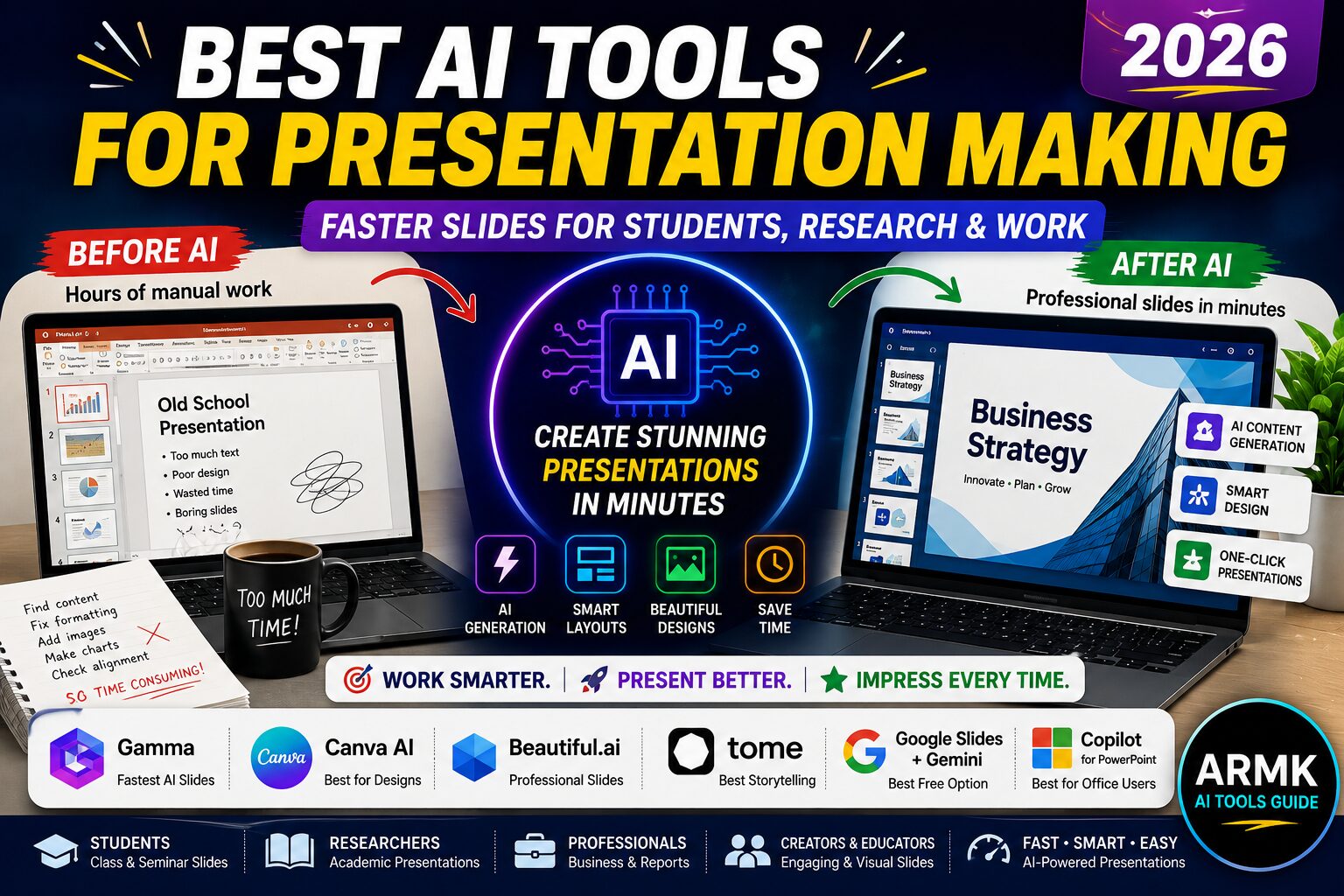
The best AI presentation tools in 2026 are:
- Gamma → fastest AI slide generation
- Canva AI → best for design-heavy presentations
- Beautiful.ai → best for professional business decks
- Tome AI → best storytelling presentations
- Google Slides + Gemini → best free workflow
- Microsoft Copilot for PowerPoint → best for Office users
The best choice depends on your workflow—not hype.
🧠 How AI Presentation Tools Actually Help
AI presentation makers are not magic.
But they can dramatically reduce:
- formatting work
- design time
- writer’s block
- slide structure planning
Modern AI tools can:
✔ generate slides from prompts
✔ summarize documents into presentations
✔ create visuals automatically
✔ rewrite slide content
✔ improve presentation structure
✔ generate speaker notes
The biggest advantage?
👉 Speed.
A presentation that once took 4–5 hours can now be drafted in 20–30 minutes.
🔥 Before AI vs After AI Presentation Workflow
❌ Traditional Workflow
- open PowerPoint
- think about structure
- design manually
- search images
- align everything
- waste hours formatting
Result:
👉 slow + exhausting
✅ AI-Powered Workflow
- enter topic
- AI creates structure
- slides auto-generated
- layouts optimized
- visuals suggested instantly
Result:
👉 faster creation + cleaner presentation
But…
⚠️ AI still needs human editing.
The best presentations are AI-assisted—not AI-generated blindly.
🏆 Best AI Presentation Tools in 2026
1. Gamma AI — Best Overall AI Presentation Tool
Gamma is currently one of the strongest AI presentation makers.
Why people love it:
- extremely fast
- modern layouts
- generates full presentations from prompts
- beginner friendly
Instead of building slides one by one, Gamma creates a complete draft presentation instantly.
Best For
- students
- quick presentations
- startup pitch decks
- creators
Strengths
✔ very fast generation
✔ visually modern
✔ web-based presentations
✔ easy sharing
Weaknesses
❌ limited deep customization
❌ some outputs feel repetitive
❌ heavy dependence on prompts
👉 Best choice if speed matters most.
2. Canva AI — Best for Beautiful Slide Designs
Canva has evolved far beyond simple graphic design.
Its AI presentation tools now help users:
- generate layouts
- create content
- design visuals
- build polished slides quickly
Best For
- creators
- teachers
- students
- social media presentations
Strengths
✔ huge template library
✔ excellent visuals
✔ easy drag-and-drop editing
✔ beginner friendly
Weaknesses
❌ AI writing still weaker than ChatGPT
❌ presentations sometimes look template-heavy
❌ advanced workflows require Pro version
👉 Best if visual quality matters most.
3. Beautiful.ai — Best for Professional Business Slides
Beautiful.ai focuses heavily on:
- clean business presentations
- smart layouts
- corporate-style slides
It automatically adjusts slide alignment and formatting.
Best For
- professionals
- startups
- business teams
- client meetings
Strengths
✔ professional designs
✔ automatic formatting
✔ polished layouts
✔ good for reports
Weaknesses
❌ less creative flexibility
❌ limited free features
❌ not ideal for highly visual storytelling
👉 Great for serious professional presentations.
4. Tome AI — Best for Storytelling Presentations
Tome AI is different from traditional slide tools.
It focuses more on:
- narrative flow
- storytelling
- visual explanation
This makes it useful for:
- creators
- educators
- idea presentations
Best For
- storytelling
- creative presentations
- portfolios
- idea pitching
Strengths
✔ visually engaging
✔ strong AI writing flow
✔ modern presentation style
Weaknesses
❌ not ideal for formal PPT workflows
❌ less control over detailed formatting
👉 Best for modern “presentation storytelling.”
5. Google Slides + Gemini — Best Free AI Workflow
Many users ignore this combination.
But Google Slides + Gemini can become a powerful free workflow.
You can:
- brainstorm outlines
- generate summaries
- rewrite slides
- create speaking points
Best For
- students
- collaborative teams
- free workflows
Strengths
✔ free ecosystem
✔ collaborative editing
✔ easy sharing
✔ good AI assistance
Weaknesses
❌ weaker automation than Gamma
❌ more manual editing required
👉 Best free workflow for most students.
6. Microsoft Copilot for PowerPoint — Best for Office Users
If you already use Microsoft Office daily, Copilot integrates directly into PowerPoint.
It can:
- generate presentations
- summarize documents
- rewrite slide content
- create speaker notes
Best For
- office professionals
- enterprise teams
- existing Microsoft users
Strengths
✔ deep PowerPoint integration
✔ productivity-focused
✔ familiar interface
Weaknesses
❌ premium ecosystem
❌ AI quality varies
❌ less creative than Canva/Gamma
👉 Excellent for business workflows.
📊 Quick Comparison Table
| Tool | Best For | Biggest Strength | Biggest Weakness |
|---|---|---|---|
| Gamma | Fast PPT generation | Speed | Repetitive layouts |
| Canva AI | Design-heavy slides | Visual quality | Template feel |
| Beautiful.ai | Business presentations | Smart formatting | Less creative freedom |
| Tome AI | Storytelling | Narrative flow | Limited formal workflows |
| Gemini + Slides | Free collaboration | Accessibility | More manual work |
| Copilot | Office users | PowerPoint integration | Premium ecosystem |
🎓 Best AI Presentation Tool for Students
For students, the best balance is usually:
👉 Gamma + Canva combo
Why?
- Gamma creates structure quickly
- Canva improves visual quality
Students can:
✔ create seminar PPTs
✔ class presentations
✔ assignment slides
✔ project reports faster
🔬 Best AI Presentation Tool for Research Presentations
Research presentations require:
- clarity
- structure
- accurate information
- less flashy design
Best choices:
- Beautiful.ai
- Google Slides + Gemini
- Canva (minimal templates)
⚠️ Important:
Never trust AI-generated research data blindly.
Always verify:
- statistics
- citations
- technical claims
💼 Best AI Presentation Tools for Work & Meetings
For professionals:
- Beautiful.ai
- Microsoft Copilot
- Gamma
work best because they:
✔ save time
✔ maintain clean formatting
✔ generate business-ready slides
🧠 Smart Workflow Most Users Miss
The best workflow is NOT:
👉 “one AI tool does everything.”
Instead:
Better Workflow
- Use ChatGPT/Gemini for ideas
- Use Gamma for structure
- Use Canva for design polish
- Export to PowerPoint if needed
This hybrid workflow produces MUCH better presentations.
⚠️ Common Mistakes People Make Using AI Presentation Tools
❌ Blindly accepting AI slides
AI often generates generic content.
❌ Over-designing presentations
Fancy slides ≠ good presentations.
❌ Using too much AI-generated text
Slides should stay concise.
❌ Ignoring storytelling
Even business presentations need flow.
❌ Not editing AI outputs
AI drafts should be starting points—not final products.
🔗 Related Guides
- ChatGPT vs Claude vs Gemini
- Best AI Tools for Note Taking
- ChatGPT Prompts for Students
- How to Use ChatGPT for Exam Preparation
- AI Workflow for PhD Students
❓ FAQs
1. Which is the best AI presentation tool in 2026?
Gamma is one of the best overall AI presentation tools for speed and simplicity.
2. What is the best free AI presentation maker?
Google Slides + Gemini and Canva AI are strong free options.
3. Can AI create PowerPoint presentations automatically?
Yes. Tools like Gamma, Canva AI, and Microsoft Copilot can generate presentations automatically.
4. Which AI presentation tool is best for students?
Gamma and Canva are excellent for students because they combine speed with easy design tools.
5. Are AI-generated presentations reliable?
They are useful for drafting, but users should always review content manually.
Final Thoughts 🚀
AI presentation tools are changing how people create slides.
But the best tool depends on:
- your workflow
- presentation style
- design needs
- editing preferences
For most users:
- Gamma = fastest workflow
- Canva = best visuals
- Beautiful.ai = best professional structure
The smartest users don’t rely on one tool.
They combine AI tools strategically.
At AI Tools Guide, we don’t hype tools — we test how AI actually works.
For students, researchers, creators, and professionals, AI presentation tools are no longer optional productivity hacks…
They’re becoming part of modern work itself.