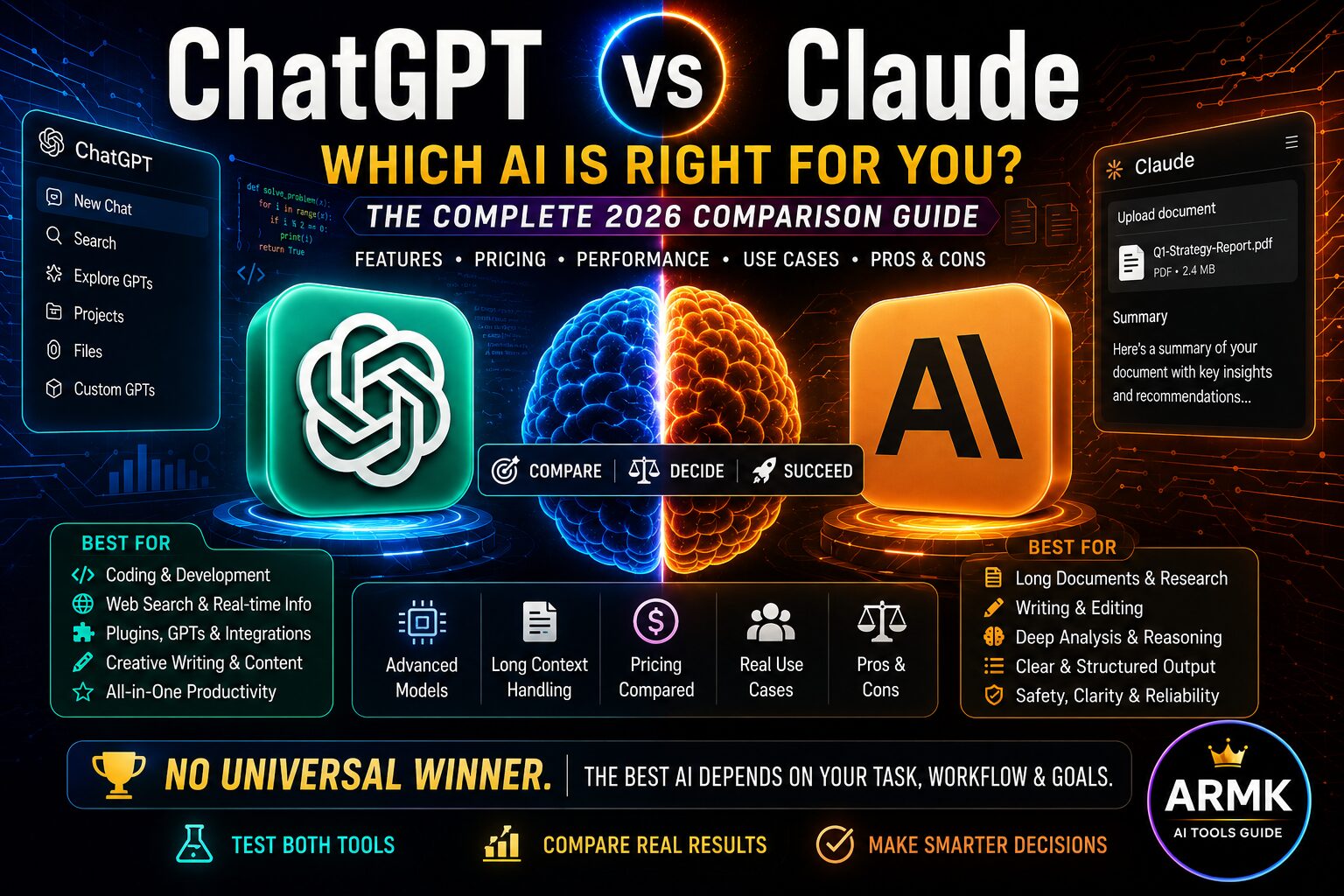
People often ask: ChatGPT vs Claude — which one is smarter, cheaper, or better for the work I need to do?
👉 Short answer: There is no permanent winner. ChatGPT and Claude can both be excellent, but their strengths, limitations, available models, plans, and performance can differ depending on the task.
AI assistants are no longer limited to simple question-and-answer conversations. They can now support research, writing, coding, analysis, learning, planning, document work, and everyday productivity.
That makes choosing between them less about finding the single “best AI” and more about finding the better fit for your specific workflow.
In this comparison, we’ll look beyond a simple feature checklist. We’ll examine the practical differences that matter when choosing between ChatGPT and Claude—including capabilities, reasoning and writing tasks, coding, long-context work, access and cost considerations, practical use cases, and overall trade-offs.
The goal is simple:
By the end, you should be able to decide which option fits your work, audience, budget, and workflow better—and when using both may actually make more sense than choosing only one.
Table of Contents
Quick Comparison: ChatGPT vs Claude
| Decision Factor | ChatGPT | Claude |
|---|---|---|
| Platform & model choice | ChatGPT provides multiple models and reasoning options, with access varying by plan. Current ChatGPT includes GPT-5.5 Instant and GPT-5.6 reasoning options on eligible plans. OpenAI GPT-5.6 in ChatGPT | Claude provides multiple model families, including current Sonnet and Opus generations, with access varying by plan. Anthropic Claude model system cards |
| Reasoning & complex work | GPT-5.6 Sol is designed for complex work including coding, research, science, computer use and design. OpenAI GPT-5.6 | Claude models also target complex reasoning and professional knowledge work. For example, Anthropic describes Opus 4.8 as a model for serious coding, AI agents and long-running professional tasks. Claude Opus 4.8 |
| Coding | Current ChatGPT models support coding workflows, with Codex available across supported products/plans. | Current Claude models also support demanding coding workflows, including Claude Code. |
| Long-context work | Context capacity varies by model, product and plan. Current ChatGPT should not be described as simply having “limited” long-context capability. | Current Claude models support long-context workflows; Anthropic lists a 1M-token context window for Opus 4.8. |
| Writing & knowledge work | Broad general-purpose platform for writing, research, analysis, learning and other workflows. | Strong focus on writing, reasoning, coding and professional knowledge work across its current model family. |
| Free access | Free access exists, but model access and usage limits differ from paid plans. | Free access is available in supported regions, with limits and model access varying by plan. |
| Paid plans | ChatGPT offers multiple paid tiers with different model access, limits and features. Check Official Price. | Claude offers multiple paid plans with different access and limits. See Official Plans. |
| Best choice | Depends on the task, model, plan and workflow. | Depends on the task, model, plan and workflow. |
ATG decision takeaway
Don’t choose between ChatGPT and Claude based on the brand name alone. Compare the specific model, plan, task and constraints that matter to your workflow.
Detailed Head-to-Head: ChatGPT vs Claude
The quick comparison gives you the overall picture, but the differences become clearer when we look at the areas that matter in real-world use.
One important point first: ChatGPT and Claude are platforms, not single fixed models. Both companies offer multiple models and plans, and capabilities can change as new models are released. For that reason, the comparison below focuses on the current platforms and representative current models rather than treating “ChatGPT” and “Claude” as permanently fixed products.
1. Ease of Use & Overall Workflow 🧭
ChatGPT
ChatGPT has developed into a broad AI workspace rather than a simple question-and-answer chatbot. Depending on the plan and available features, users can work with different models and reasoning levels, files, research tools, image generation, data analysis, custom GPTs, projects and coding-related workflows.
OpenAI currently describes GPT-5.6 Sol as a model designed for complex work across coding, knowledge work, research, science, cybersecurity, computer use and design. GPT-5.5 Instant remains the default for fast everyday responses, while GPT-5.6 Sol provides the higher reasoning options on eligible paid plans.
Claude
Claude has also expanded beyond basic chat. Anthropic’s current Claude ecosystem includes multiple model generations, Projects, Research, Claude Code and increasingly agentic workflows.
Anthropic’s current model documentation includes Claude Sonnet 5 and Claude Opus 4.8 among its newer models. Opus 4.8 is positioned for serious coding, AI agents and long-running professional work.
Which is better?
There is no meaningful universal winner here.
If you want a broad AI workspace with many different tools and workflows, ChatGPT may be a strong fit. If Claude’s writing, coding, reasoning or agentic workflow better matches your needs, Claude may be the better choice.
The right question is not “Which interface is better?” but “Which workflow fits the work I actually need to do?”
2. Reasoning & Complex Tasks 🧠
Reasoning is one of the areas where the old “ChatGPT vs Claude” comparison can become misleading.
ChatGPT’s current GPT-5.6 Sol is specifically designed for complex work, including coding, research, science, cybersecurity, computer use and design. Eligible paid ChatGPT plans can use different reasoning levels, while GPT-5.6 Sol Pro is available on Pro for more demanding tasks and longer-running workflows.
Claude also has current models designed for demanding reasoning and professional work. Anthropic describes Opus 4.8 as a hybrid reasoning model for serious coding and AI agents, while its current model lineup includes newer Claude generations beyond the original Claude 4 models.
Which is better?
It would be misleading to simply declare:
“Claude is better at reasoning.”
or:
“ChatGPT is better at reasoning.”
The result can depend on the specific model, task, reasoning setting, prompt and evaluation method.
For ATG, a meaningful winner should therefore be declared only when there is a defined task or benchmark supporting the conclusion.
3. Coding & Technical Work 💻
The original article described ChatGPT as excellent for coding and Claude as average. That is no longer a defensible comparison.
Current ChatGPT models are explicitly designed for coding and complex technical work, and OpenAI provides Codex for supported coding workflows. GPT-5.6 Sol is also designed for complex coding and computer-use tasks.
Claude has also become a serious coding platform. Anthropic describes Opus 4.8 as a model built for serious coding and AI agents, while Claude Code is designed for software-engineering workflows.
Which is better?
Both are serious options for coding.
Instead of asking which chatbot is universally better, compare them on the actual development task you care about—for example:
- debugging an existing project
- implementing a feature
- modifying multiple files
- writing tests
- refactoring code
- understanding an unfamiliar codebase
That produces a much more useful comparison than assigning either platform a generic “excellent” or “average” rating.
4. Writing & Content Creation ✍️
ChatGPT can support writing, editing, research, analysis and other knowledge-work workflows, making it useful when content creation is part of a broader workflow.
Claude also has a strong focus on writing, reasoning and professional knowledge work, with current Claude models designed for increasingly complex tasks.
Which is better for writing?
There is no universal answer.
The better choice can depend on:
- the type of content
- desired writing style
- document length
- research requirements
- editing workflow
- tools you need alongside writing
- how much iteration your workflow requires
For professional content creation, writing quality alone should not determine the choice. Research quality, evidence, structure, editing and workflow efficiency also matter.
5. Research & Knowledge Work 🔎
ChatGPT currently provides research-oriented capabilities, while GPT-5.6 Sol is designed for knowledge work and research. OpenAI also continues to provide different research and tool capabilities depending on the ChatGPT plan and product.
Claude also supports research and knowledge-work workflows, with current models designed for complex professional tasks and tool use.
But a good research workflow is more than producing a convincing answer.
A useful research process looks like:
Question → Source discovery → Source evaluation → Evidence extraction → Reasoning → Synthesis → Verification
Therefore, when comparing ChatGPT and Claude for research, don’t judge only the final prose.
Also consider:
- quality of sources
- source traceability
- accuracy
- ability to handle complex information
- research workflow
- citation quality
- how easily the result can be verified
ATG perspective
For research-heavy work, trust and evidence matter as much as writing quality.
6. Long Documents & Context 📚
The old article described ChatGPT as having “Limited” long-text handling while giving Claude a 200K+ context advantage. That comparison should no longer be used.
Current Claude Opus 4.8 is advertised with a 1M-token context window, while ChatGPT’s available context and limits depend on the model, product and plan.
What does that mean?
A larger context window can be useful when working with:
- long documents
- large codebases
- research material
- multiple reference files
- lengthy conversations
But context size alone does not determine output quality.
A model can have a very large context window and still require careful prompting, organization and verification.
So instead of asking:
“Which AI has the biggest context?”
ask:
“For the model and plan I actually use, how much information can I work with effectively, and how well does the model handle it?”
7. Features & Tools 🛠️
ChatGPT and Claude have both expanded significantly beyond basic chat.
ChatGPT provides a broad collection of models and tools within its ecosystem, with access depending on the plan and product. Current GPT-5.6 capabilities extend into coding, research, computer use, science and design.
Claude’s ecosystem includes multiple current models, Research, Projects, Claude Code and other capabilities aimed at professional and agentic workflows.
Which platform has better features?
That depends on what you actually use.
A platform having more features does not automatically make it better for you.
For example:
- A researcher may care more about research and source workflows.
- A developer may care more about coding and agentic tools.
- A writer may care more about long-form editing.
- A business user may care more about integrations, administration and workflow reliability.
The better feature set is the one that solves your actual workflow with less friction.
8. Pricing & Plans 💰
Pricing should be treated separately from raw model capability because both companies offer multiple plans and the included features can differ.
OpenAI’s current ChatGPT ecosystem includes multiple plan levels, with model availability and usage limits depending on the plan. GPT-5.6 Sol, for example, is available in standard ChatGPT conversations on eligible paid plans, while Free and Go do not receive GPT-5.6 Sol in standard conversations.
Anthropic likewise offers multiple Claude models and plans, with availability depending on the specific product and plan.
Don’t compare subscriptions by price alone
When deciding whether a plan is worth paying for, compare:
- model access
- usage limits
- reasoning capability
- research tools
- coding tools
- context capability
- file handling
- integrations
- other features you actually need
The cheapest subscription is not necessarily the cheapest solution for your workflow.
For exact current pricing, always check the provider’s current pricing page because AI subscription pricing and included features can change.
9. Accuracy & Reliability 🎯
The original article gave Claude five stars for accuracy and ChatGPT four stars. There was no defined testing methodology behind those scores.
We should therefore remove those ratings rather than replace them with another arbitrary score.
Accuracy depends on factors such as:
- the model
- the task
- available sources
- prompt quality
- reasoning effort
- whether current information is required
- tool access
- verification
A model can produce a highly convincing answer that still contains an error.
For factual or research-heavy work, important outputs should still be verified.
So, Which One Is Better?
After looking at the major categories, the answer is still not a permanent:
ChatGPT wins.
or:
Claude wins.
A more useful conclusion is:
Choose ChatGPT when…
- you want a broad AI workspace
- you need multiple types of tools in one ecosystem
- your workflow combines reasoning, research, writing, analysis, files, coding or other AI tasks
- the available ChatGPT model and plan fit your requirements
Choose Claude when…
- Claude’s current models better match your writing, reasoning or coding workflow
- long-context work is particularly important to you
- Claude Code or Claude’s agentic workflow is valuable for your work
- the available Claude model and plan provide better value for your requirements
Consider using both when…
Your workflows are genuinely complementary and the additional cost is justified by the productivity gained.
ATG’s Bottom Line
There is no permanent universal winner between ChatGPT and Claude.
The meaningful comparison is:
Model + Plan + Task + Constraints + Evidence
That’s the approach we recommend instead of choosing an AI based on a generic “best overall” ranking.
Which AI Should You Choose? 🎯
Here is a practical starting point.
🎓 For Students & Learners
Choose ChatGPT when you want a broad learning workspace that can combine explanations, problem-solving, file analysis, research and other tools in one environment. ChatGPT Projects can also keep related chats, files and instructions together for longer-running work. (OpenAI Projects)
Choose Claude when its writing, explanation or document-analysis workflow fits the way you study.
ATG recommendation: Don’t choose an AI simply to generate answers for assignments. Use it to understand concepts, compare explanations, create practice material and check your own reasoning.
✍️ For Writers & Content Creators
Both platforms can support writing, editing, research and content development.
ChatGPT may be the better fit if your content workflow also depends heavily on research, files, image generation, custom GPTs, projects or other tools. OpenAI’s current ChatGPT ecosystem includes Projects, file handling, image capabilities, Deep Research and custom GPTs, with availability varying by plan.
Claude may be the better fit if its writing and long-form knowledge-work workflow produces results that better match your style and editing process.
ATG recommendation: Don’t judge either platform by a single generated paragraph. Test the complete workflow:
Research → Outline → Draft → Edit → Fact-check → Finalize
The platform that consistently produces the better complete workflow is more valuable than the one that merely produces prettier first drafts.
🔎 For Researchers
For serious research, neither platform should be judged only by how convincing its answer sounds.
ChatGPT’s Deep Research can use the public web, uploaded files and connected apps, lets you review the research plan, and produces reports with citations or source links. (OpenAI Deep Research)
Claude also offers research-oriented capabilities and increasingly sophisticated tool-based workflows.
ATG recommendation: Choose the platform that gives you the strongest combination of:
- source discovery
- source quality
- evidence traceability
- document handling
- synthesis
- citation quality
- verification workflow
For high-stakes research, verify important claims independently regardless of which AI you use.
💻 For Developers & Coding
Both platforms are now serious coding options.
ChatGPT provides coding workflows through its current models and Codex ecosystem, while Claude has Claude Code and increasingly agentic coding workflows. Anthropic’s current research also examines Claude Code across hundreds of thousands of real-world coding sessions.
ATG recommendation: Don’t choose based on an internet-wide “best coding AI” ranking.
Test the platform on your actual work:
- Give it an existing project.
- Ask it to understand the codebase.
- Give it a defined feature.
- Check the implementation.
- Run tests.
- Review the changes.
- Measure how much correction you had to do.
The winner for your coding workflow is more useful than a generic benchmark winner.
📄 For Long Documents & Knowledge Work
Long-context capability can be valuable when working with:
- books
- reports
- research papers
- contracts
- large codebases
- multiple reference documents
Current Claude models include very large context capabilities, while ChatGPT also offers substantially larger context than the old article suggested, depending on model and plan.
ATG recommendation: Don’t choose solely because one provider advertises a larger context window.
Test:
Can it understand the material correctly, find the relevant information, maintain consistency and produce a reliable result?
A larger context window is useful only when the model can actually use that context effectively.
💼 For Freelancers & Small Businesses
For freelancers and small businesses, the important question is not simply:
“Which AI is smarter?”
Instead ask:
Which platform can remove more repetitive work from my actual business workflow?
For example:
- research
- proposals
- client communication
- content creation
- document analysis
- data analysis
- coding
- planning
- repetitive workflows
ChatGPT’s Projects, custom GPTs and research/tool ecosystem can be useful for repeatable workflows. (OpenAI Projects)
Claude can be attractive when its current knowledge-work, coding and agentic capabilities fit the workflow better. Anthropic is also expanding Claude into team workflows and connected-tool environments.
ATG recommendation: Calculate the value from the workflow, not just the subscription price.
If an AI subscription saves you several hours of repetitive work every month, the relevant question is whether the productivity gained justifies the cost.
Can You Use Both ChatGPT and Claude? 🤝
Yes—and for some workflows, that may be the most practical option.
Using both can make sense when they serve genuinely different purposes.
For example:
ChatGPT → research, analysis, files, images, structured workflows
Claude → another perspective, long-form editing, coding or knowledge-work tasks
But don’t subscribe to both simply because:
“More AI tools = better.”
That’s unnecessary cost.
A two-tool setup makes sense only when the additional capability actually improves your workflow enough to justify the extra cost and complexity.
A Simple Decision Framework
Instead of asking:
“Which AI is the best?”
ask these five questions:
1. What is my primary task?
Writing? Research? Coding? Learning? Business? Documents?
2. Which model do I actually have access to?
Don’t compare the brands while ignoring the specific model.
3. Which plan do I need?
Free, paid, higher-usage or specialized access can produce very different experiences.
4. What constraint matters most?
Cost? Context? Tools? Research? Coding? Speed? Workflow integration?
5. Which one performs better in my actual test?
This is the most important question.
🧪 ATG’s Practical Test Method
If you’re still unsure after reading the comparison, don’t guess.
Take one real task from your own workflow and give the same task to both platforms.
Use the same:
- instructions
- source material
- constraints
- expected output
- evaluation criteria
Then compare:
| Criterion | What to evaluate |
|---|---|
| Accuracy | Are the important facts correct? |
| Completeness | Did it cover what was required? |
| Reasoning | Is the logic sound? |
| Output quality | Is the result actually usable? |
| Evidence | Can important claims be verified? |
| Editing required | How much correction did you need? |
| Time saved | Did the AI actually make the work faster? |
| Overall usefulness | Would you use the result in real work? |
This gives you a much more meaningful answer than a generic online ranking.
Mini Tutorials: How to Use ChatGPT & Claude 🛠️
You don’t need a complicated setup to start using either platform. The important part is knowing how to turn a vague request into a useful AI task.
How to Use ChatGPT 5
1️⃣ Go to chatgpt.com
2️⃣ Sign up with Google/email
3️⃣ Start free → Upgrade for full features
4️⃣ Now write any task and send it
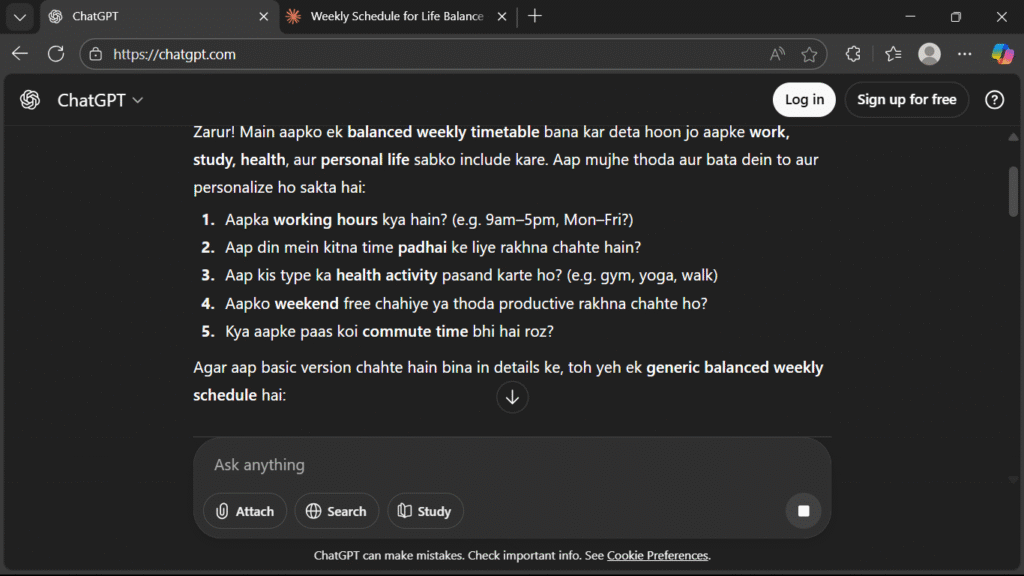
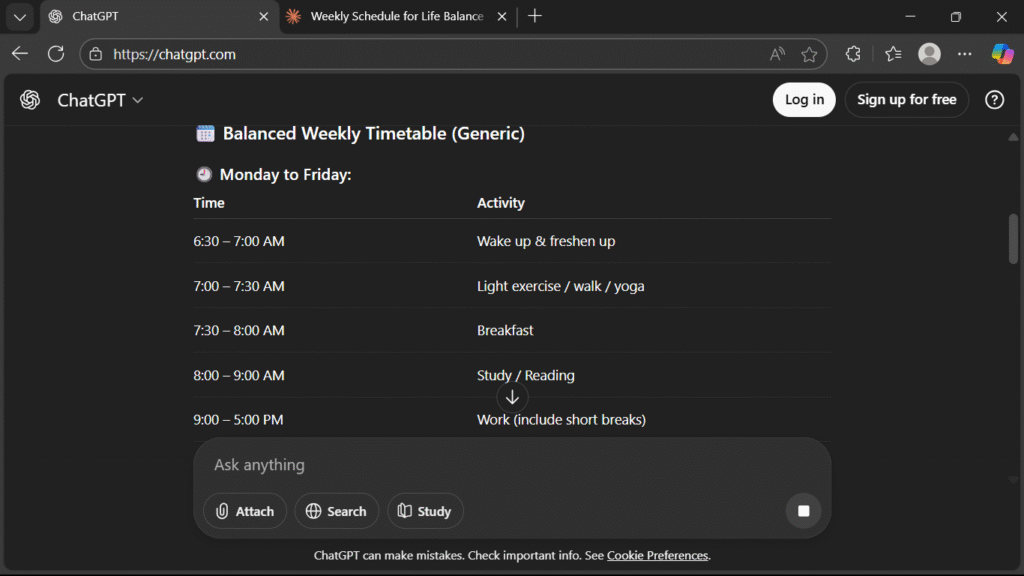
5️⃣ It ask you questions to make perfect plan for you
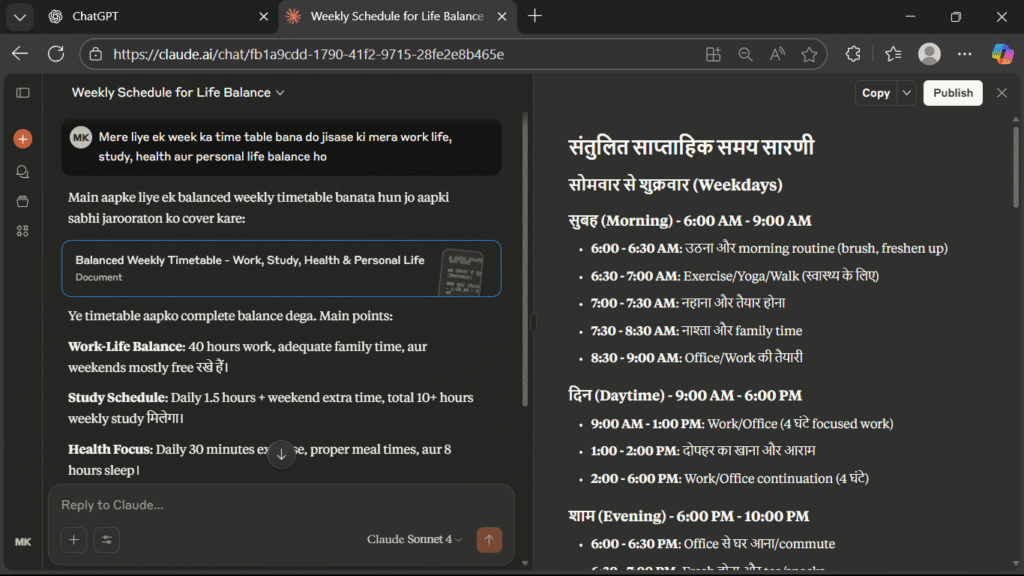
How to Use Claude AI 4
1️⃣ Go to claude.ai
2️⃣ Sign up with Google
3️⃣ Use free plan or upgrade to Pro
4️⃣ Now write any task and send it
Conclusion: ChatGPT vs Claude — Which One Should You Choose? 🎯
ChatGPT and Claude are both powerful AI platforms, but there is no permanent winner for every user or every task.
The better choice depends on the work you need to do, the model and plan available to you, your budget, and the capabilities that matter most to your workflow.
Choose ChatGPT if you want a broad AI workspace that combines different models, reasoning, research, files, coding and other tools in one ecosystem.
Choose Claude if its current models and workflow better match your needs, particularly for writing, reasoning, long-context work, coding or agentic tasks.
And if both platforms solve different parts of your workflow well, using both can make sense—as long as the additional cost is justified by the value you get.
The most important takeaway is simple:
Don’t choose an AI because someone called it the “best.” Choose the one that produces the best verified outcome for the work you actually need to accomplish.
If you’re still unsure, take one real task from your workflow, give the same instructions and source material to both platforms, and compare the results for accuracy, completeness, output quality, evidence, correction required and time saved.
That’s a much better way to find your own winner than relying on a generic ranking.
👉 Want to dive deeper? Check out our full reviews:
- 📘 ChatGPT 5 Review – Features, pricing, pros & cons for everyday use.
- 📗 Claude AI 4 Review – Best for reasoning, analysis, and long-text tasks.
FAQ Section
Q1. Is ChatGPT 5 better than Claude 4 in 2025?
Neither is universally better. The better choice depends on the specific model, plan, task and workflow. For an important decision, test both on the same real task and compare the results.
Q2. Which is better for students: ChatGPT or Claude?
Both are useful for students, but the better choice depends on how you study. ChatGPT may be preferable if you want a broader learning and productivity workspace, while Claude may suit students who prefer its writing and document-focused workflow.
Q3. Which is better for coding: ChatGPT or Claude?
Both are serious coding options, so there is no universal winner. ChatGPT offers coding workflows including Codex, while Claude offers coding workflows including Claude Code. The best choice is the one that performs better on the type of coding work you actually do.
Q4. Which is better for research: ChatGPT or Claude?
Neither should be considered universally better for research. Compare them on source discovery, source quality, evidence traceability, document handling, synthesis and citation quality—not just the final answer.
Q5. Which is cheaper: ChatGPT or Claude?
Neither is permanently cheaper. Both offer multiple plans, and pricing, limits and included features can change. Compare the plan available in your region based on the capabilities you actually need rather than monthly price alone.
Q6. Can I use ChatGPT and Claude together?
Yes, you can use both, and it can be useful when they solve different parts of your workflow. But paying for both is only worthwhile if the additional capability saves enough time or improves your work enough to justify the extra cost.
Q7. Which is better for analyzing long documents: ChatGPT or Claude?
Both can handle long-document workflows, but the better choice depends on the specific model, plan and document task. Don’t compare context-window numbers alone; test whether each AI can accurately find, connect and explain information across the document.
Q8. How can I test ChatGPT vs Claude for my own work?
Give both platforms the same real task, inputs, instructions and constraints, then compare accuracy, completeness, output quality, evidence, corrections required and time saved. The tool that performs better for your actual workflow is more relevant than a generic online ranking.