
AI video generation has exploded in 2026… but when it comes to cinematic shots, neon lighting, motion blur, and storytelling-style short clips, very few tools stand out.
Pika Labs is one of those tools.
It has become the go-to choice for YouTubers, Instagram creators, filmmakers, and even brands who want high-impact visual scenes without needing a camera or editor.
If you’re looking for an AI tool that can give you movie-like shots, fast output, and rich cinematic moods, then Pika Labs is probably the best place to start. This review covers everything — real examples, strengths, issues, pricing, and how it compares to tools like Runway.
Table of Contents
1. What is Pika Labs?
Pika Labs is an AI text-to-video and image-to-video generator built specifically for creating cinematic shots:
✔ Key strengths
- Insane motion quality (speed, depth, blur, tracking)
- Neon + cyberpunk environments that look film-grade
- Perfect for short storytelling clips
- Better facial consistency than many video AI tools
- Fast generation + lightweight UI
Best For:
🎬 Creators
🎮 Gamers
📱 Instagram Reels makers
📢 Short marketing ads
📖 Storytellers
2. Key Features
2.1 Cinematic Motion Engine
Pika Labs has one of the best motion-handling capabilities.
Running sequences, camera push-ins, tracking shots — all look natural.
2.2 Text → Video & Image → Video
You can upload an image and turn it into a moving cinematic shot.
2.3 Style Control
Great for:
- Cyberpunk
- Neo-Tokyo
- Dark neon streets
- Dramatic closeup portraits
- Action-oriented motion scenes
2.4 High-Quality Depth and Lighting
This is where Pika Labs beats many competitors. It understands:
- Reflection
- Rain + water effects
- Neon lighting
- Shadows
- Atmosphere
2.5 Fast Output (Even on Free Plan)
You get short clips within seconds — without needing heavy hardware.
3. 🎥 Real Pika Labs Sample (Cinematic Test)
Below is a real clip generated using Pika Labs to demonstrate its video quality.
📸 Frame 1 (Neon Cinematic Look):
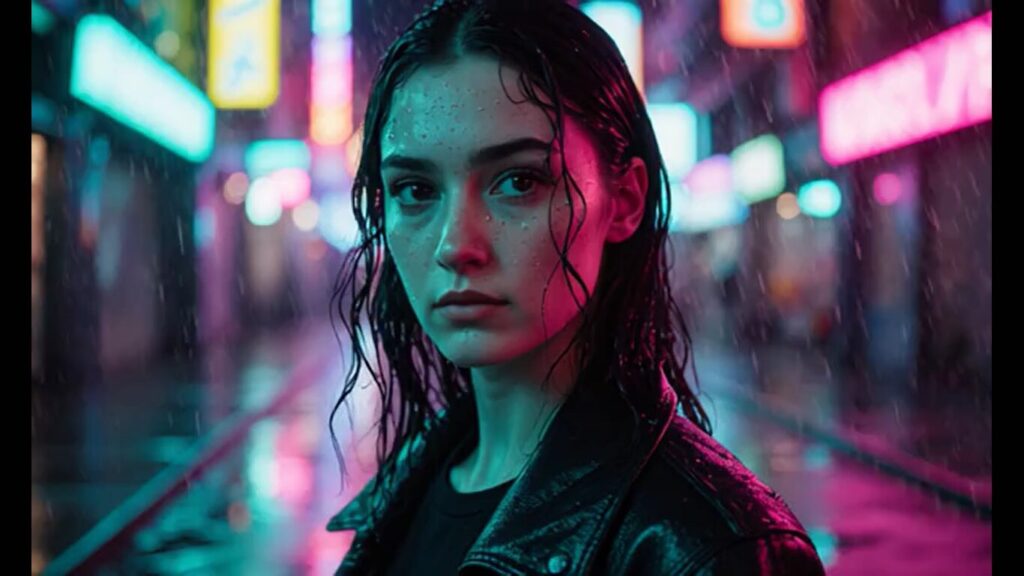
Pika Labs creates sharp neon-lit cinematic visuals with realistic reflections.
📸 Frame 2 (Motion & Rain Atmosphere):
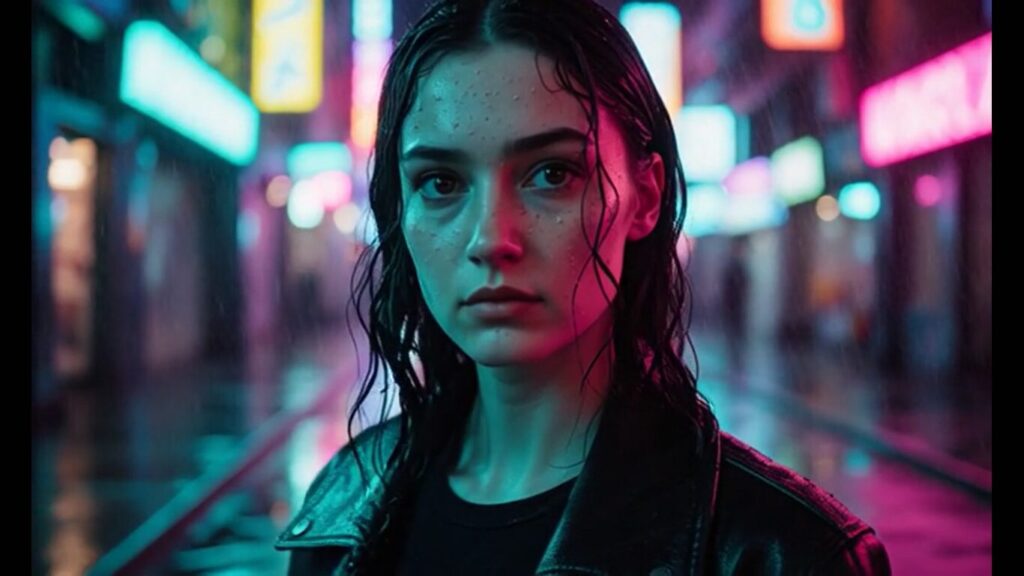
Smooth motion blur and atmospheric rain captured mid-movement.
🎞 Full 4-second Clip (MP4):
Download here
4-second cinematic motion test generated using Pika Labs AI.
4. Pika Labs vs Runway Gen-4 Turbo (Quick Comparison)
| Feature | Pika Labs | Runway Gen-4 Turbo |
|---|---|---|
| Motion Scenes | ⭐⭐⭐⭐⭐ | ⭐⭐⭐⭐ |
| Portrait Consistency | ⭐⭐⭐⭐ | ⭐⭐⭐⭐⭐ |
| Cinematic Lighting | ⭐⭐⭐⭐⭐ | ⭐⭐⭐ |
| Stylized Neon Output | ⭐⭐⭐⭐⭐ | ⭐⭐⭐ |
| Realism | ⭐⭐⭐⭐ | ⭐⭐⭐⭐⭐ |
| Best For | Storytelling, Neon Clips | Realistic Image → Video |
| Output Speed | Fast | Fastest |
Conclusion:
- If you want motion + mood + storytelling, choose Pika Labs.
- If you want real human consistency, choose Runway Gen-4 Turbo.
5. Pricing
Free Plan
✔ Create short videos
✔ Basic styles
✔ Limited credits
Starter / Creator Plans
💰 Range: $10–$20/month
Features include:
- Higher resolution
- Faster rendering
- More credits
(Pricing changes often; check official site for updates.)
6. Pros & Cons
✔ Pros
- Best neon + cyberpunk cinematic output
- Extremely good motion blur & tracking
- Very easy UI for beginners
- Perfect for storytellers
- Creates high-impact social media clips
✖ Cons
- Not ideal for photorealistic humans (Runway wins here)
- Sometimes gives too much stylization
- Limited control in free version
👉 If you create AI images too, you’ll love our review of Adobe Firefly.
7. How to Use Pika Labs (Simple Guide)
Step 1: Visit Pika Labs website → Sign in
Step 2: Choose Prompt Mode (Text-to-Video or Image-to-Video)
Step 3: Write a cinematic prompt
Here you can see interface of Pika Labs :
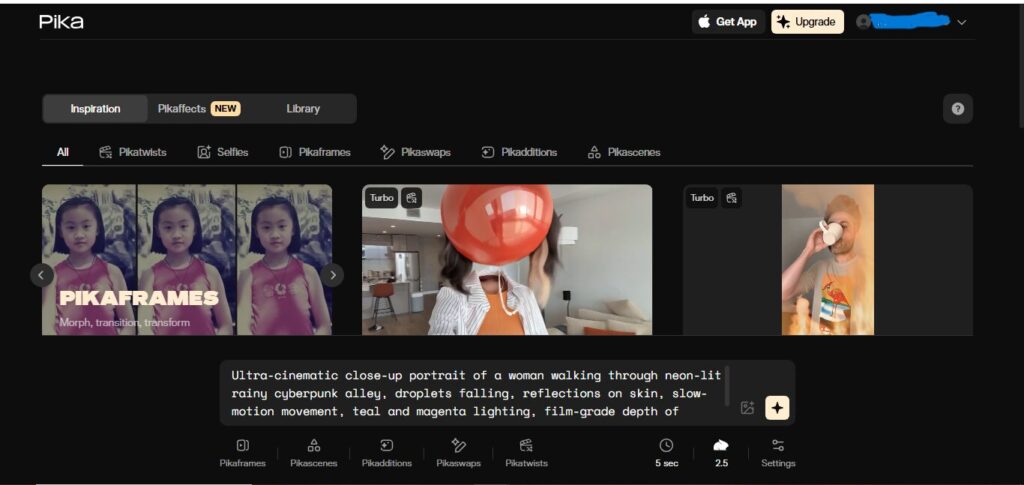
Step 4: Select FPS + Style
Step 5: Generate & download
8. Best Prompts for Pika Labs (Free to Copy)
Prompt 1 — Neon Cinematic Walk
“Young woman walking through neon-lit cyberpunk street, reflections on wet road, cinematic depth, slow push-in camera movement, rain atmosphere.”
Prompt 2 — Action Run Shot
“Man running through futuristic city, high-speed tracking shot, motion blur, neon signs glowing, dramatic lighting.”
Prompt 3 — Anime Cinematic Shot
“Anime girl standing in rainy Tokyo night, neon reflections, emotional close-up, cinematic mood.”
👉 Also read: Leonardo AI Review
9. ARMK Related Queries
People also ask about Pika Labs:
🔹 Is Pika Labs good for cinematic video creation?
Yes — especially neon, cyberpunk, rain and motion scenes.
🔹 Can Pika Labs create realistic humans?
Somewhat, but Runway is better for true realism.
🔹 Is Pika Labs free to use?
Yes, but export quality and credits are limited.
🔹 Best AI tools for cinematic video in 2026?
Pika Labs, Runway, Pika 3D, Luma Dream Machine.
10. FAQs
1. Can beginners use Pika Labs easily?
Yes, UI is extremely simple.
2. Which is better — Pika Labs or Runway?
Pika = cinematic motion
Runway = realism
3. Can Pika Labs generate anime videos?
Yes, anime scenes are one of its strongest areas.
4. Does Pika Labs support image-to-video?
Yes — and the results are highly cinematic.
Conclusion
Pika Labs is one of the best AI video generators for cinematic clips, neon lighting, dramatic moods, and fast storytelling visuals.
If your goal is to create short reels, trailers, intros, or themed visual shots — Pika Labs gives you the best results in the least time.