
Firefly AI has quickly become one of the most preferred AI tools among brand designers—and for good reason. With Adobe’s ecosystem, vector-quality outputs, and branding-safe generation, Firefly is now competing directly with tools like Leonardo AI and Canva.
But the real question is:
Is Adobe Firefly truly worth it for brand designers in 2025?
This guide breaks it down professionally + practically.
Table of Contents
1. Introduction
Brand designers need accuracy, consistency, and commercial-safe outputs. Firefly AI is built exactly for that — inside Adobe’s trusted ecosystem.
Unlike most AI tools that focus on “cool art,” Firefly focuses on:
✔ Branding
✔ Design alignment
✔ Commercial rights
✔ Trusted output
This makes it a natural fit for graphic designers, freelancers, agencies, YouTubers, and founders.
You can also read our full breakdown here —
➡️ Adobe Firefly Review (Updated for 2026)
2. What Makes Firefly Unique for Brand Designers
Firefly offers something almost no other AI tool provides:
✔ 100% Commercially Safe Outputs
Adobe trains Firefly on licensed + Adobe Stock content.
No copyright issues, no DMCA risks.
✔ Native Adobe Integration
Directly used inside:
- Adobe Express
- Photoshop
- Illustrator
- Premiere Pro
✔ Vector-Friendly Results
Huge advantage for branding designers.
✔ Brand-Safe Style Control
You can restrict chaotic, random, or unprofessional styles.
3. Key Branding Features (Explained)
🎨 1. Firefly Styles for Branding
- Flat illustration
- Minimal logos
- Clean geometric shapes
- Corporate gradients
- Typography-friendly outputs
🪄 2. Generative Fill for Logo Mockups
Perfect for:
- Business cards
- Posters
- Packaging
- Web banners
🎭 3. Style Match
Upload a reference → Firefly matches it:
- Color style
- Logo aesthetic
- Composition
- Mood
- Typography feel
🧩 4. Text to Graphic Elements
You can generate:
- Icons
- Badges
- Simple logos
- Shapes
- Flat vector elements
4. Firefly vs Traditional Branding Tools
| Feature | Firefly AI | Illustrator / Photoshop | Canva |
|---|---|---|---|
| AI Logo Generation | ✔ Yes | ❌ No | ✔ Basic |
| AI Mockups | ✔ Yes | ❌ Limited | ✔ Good |
| Commercial Rights | ✔ Strong | ✔ Manual | ⚠ Mixed |
| Vector Output | ✔ Semi-vector | ✔ Full | ❌ No |
| Brand Kit Support | ✔ Strong | ✔ Requires setup | ✔ Good |
If you want to compare deeper, check our complete comparison —
➡️Leonardo AI vs Adobe Firefly — Best AI Design Tool for 2026?
5. Firefly for Logo Design — Honest Breakdown
Firefly is NOT meant to replace a professional logo designer.
But it is excellent for:
- Concept drafts
- Initial ideas
- Moodboards
- Quick variations
- Minimal shapes
- Symbol exploration
It generates logos that are clean, modern, and brand-aligned — not random or chaotic like many AI engines.
6. Firefly for Brand Kits (Fonts, Colors, Layouts)
Firefly can help you generate:
✔ Color palette suggestions
✔ Typography pairing ideas
✔ Layout structures
✔ Template variations
✔ Social banner design drafts
This saves hours of brainstorming for brand designers.
7. Firefly Real-World Output Examples
Firefly performs best when designers want clean, minimal, brand-friendly visuals.
Here are two example outputs showing the quality Firefly can produce for logos, color palettes, and brand concepts.
🖼 Sample 1 — Logo / Branding Style Visual

Brand-style flat illustration generated using Firefly Image Model 4 — clean shapes and balanced color composition ideal for logo/branding work.
🖼 Sample 2 — Color Palette / Typography Style Visual
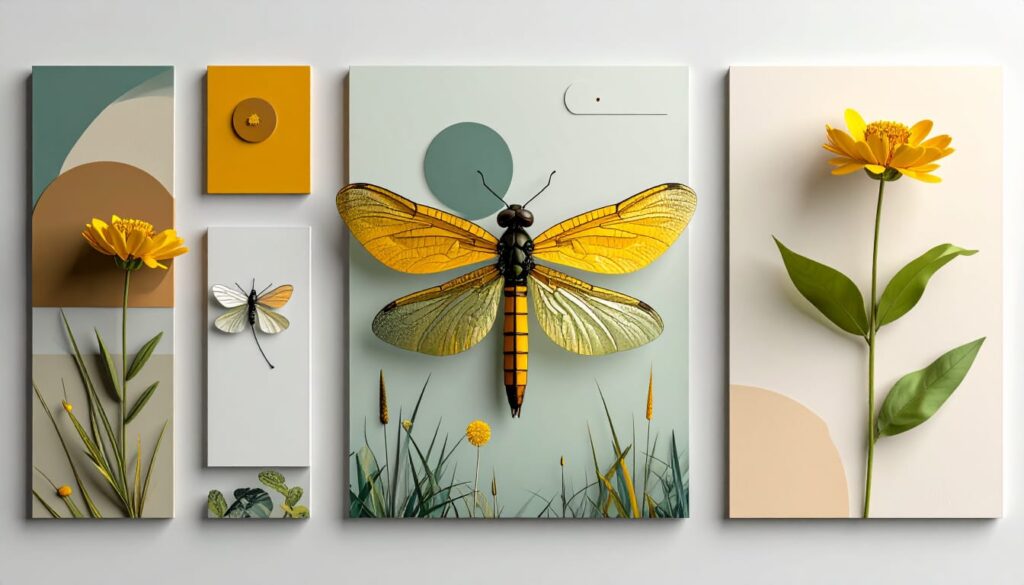
Firefly’s style-matched color palette and clean layout demonstrate why it works so well for brand designers.
New to Firefly? Start with the basics here —
➡️ How to Use Adobe Firefly Free Plan (Complete Guide)
8. Pricing for Designers (2025)
| Plan | Price | Best For |
|---|---|---|
| Free | $0 | Testing, small visuals |
| Firefly Premium | $4.99/mo | Designers + YouTubers |
| Adobe Express Premium | $9.99/mo | Social branding + logo drafts |
| Adobe CC (Full) | $59.99/mo | Professional designers |
9. Who Should Use Firefly?
Perfect For:
✔ Designers
✔ Branding specialists
✔ Agencies
✔ YouTubers
✔ Instagram creators
✔ Freelancers
✔ Canva → Adobe switchers
Not Ideal For:
❌ Hyper-realistic art
❌ Anime-style content
❌ 3D modeling
❌ Game art
You can explore more design tools in our dedicated AI Design Tools series.
10.🔗 ARMK Related Queries
Looking for more Firefly help? Here are some related topics brand designers often explore:
🎨 Best Adobe Firefly Styles for Branding
Use Stylized and Photo Artistic modes — both maintain consistent brand colors and clean lighting.
🧠 Is Adobe Firefly Good for Logo Design?
Yes, but best for concepts. For final logo vectors → Adobe Illustrator still needed.
💡 Firefly vs Canva for Brand Designers
Firefly = better realism + lighting
Canva = faster social templates
→ Designers often use both.
🔥 Does Firefly Offer Commercial Rights on the Free Plan?
YES, but with limitations. Paid plan unlocks unrestricted commercial usage.
🆚 Adobe Firefly vs Leonardo AI — Which Is Better for Designers?
Leonardo = more control & custom models
Firefly = cleaner branding visuals
Choose based on your content type.
📈 Top AI Design Tools to Look Out For in 2026
RunwayOS, Canva AI 3.0, and Firefly Image 4 look most promising for creators.
11. FAQs
1. Is Adobe Firefly good for brand designers?
Yes — Firefly is extremely useful for logo drafts, layouts, palettes, and professional branding concepts.
2. Can Firefly replace Illustrator for logo work?
No. Firefly generates concepts; Illustrator is needed to finalize vector logos.
3. Does Firefly support vector output?
It produces vector-friendly visuals, but not fully editable SVG logos.
12. Conclusion
Firefly is one of the most reliable AI tools for branding work today.
Its clean composition, Adobe integration, and commercial safety make it perfect for designers who value quality and consistency.
🔗 Explore More on AI Tools Guide
- AI Writing Series → Read all writing-tool guides in one place
- AI News Hub → Latest AI launches, updates & breaking stories