Both Grammarly and ProWritingAid promise better writing.
But in 2026, better doesn’t mean the same thing for everyone.
One tool fixes mistakes fast.
The other dissects your writing until nothing is accidental.
Choosing the wrong one won’t just waste money — it can quietly:
- flatten your writing style
- weaken academic credibility
- or make professional content feel machine-polished
This guide breaks down what each tool actually does, where they help, where they hurt, and who should trust which one.
⚠️ Scope note: This comparison focuses only on editing & proofreading of written content (blogs, academic papers, professional writing) — not AI writing or paraphrasing.
Table of Contents
Who This Comparison Is For (and Who Should Skip It)
This is for you if:
- You already write and want cleaner, sharper output
- You care about clarity, tone, and structure, not just grammar
- You publish content that is read by humans (editors, professors, clients)
Skip this if:
- You want AI to write content from scratch
- You only care about basic spelling fixes
- You expect “one-click perfection”
The Core Difference (Read This Before Features)
This is where most comparisons fail.
Grammarly’s philosophy:
Correct the writing quickly.
It focuses on:
- grammar
- spelling
- tone alignment
- surface-level clarity
ProWritingAid’s philosophy:
Explain why the writing works or doesn’t.
It focuses on:
- structure
- rhythm
- pacing
- repeated patterns
- readability over long documents
In short:
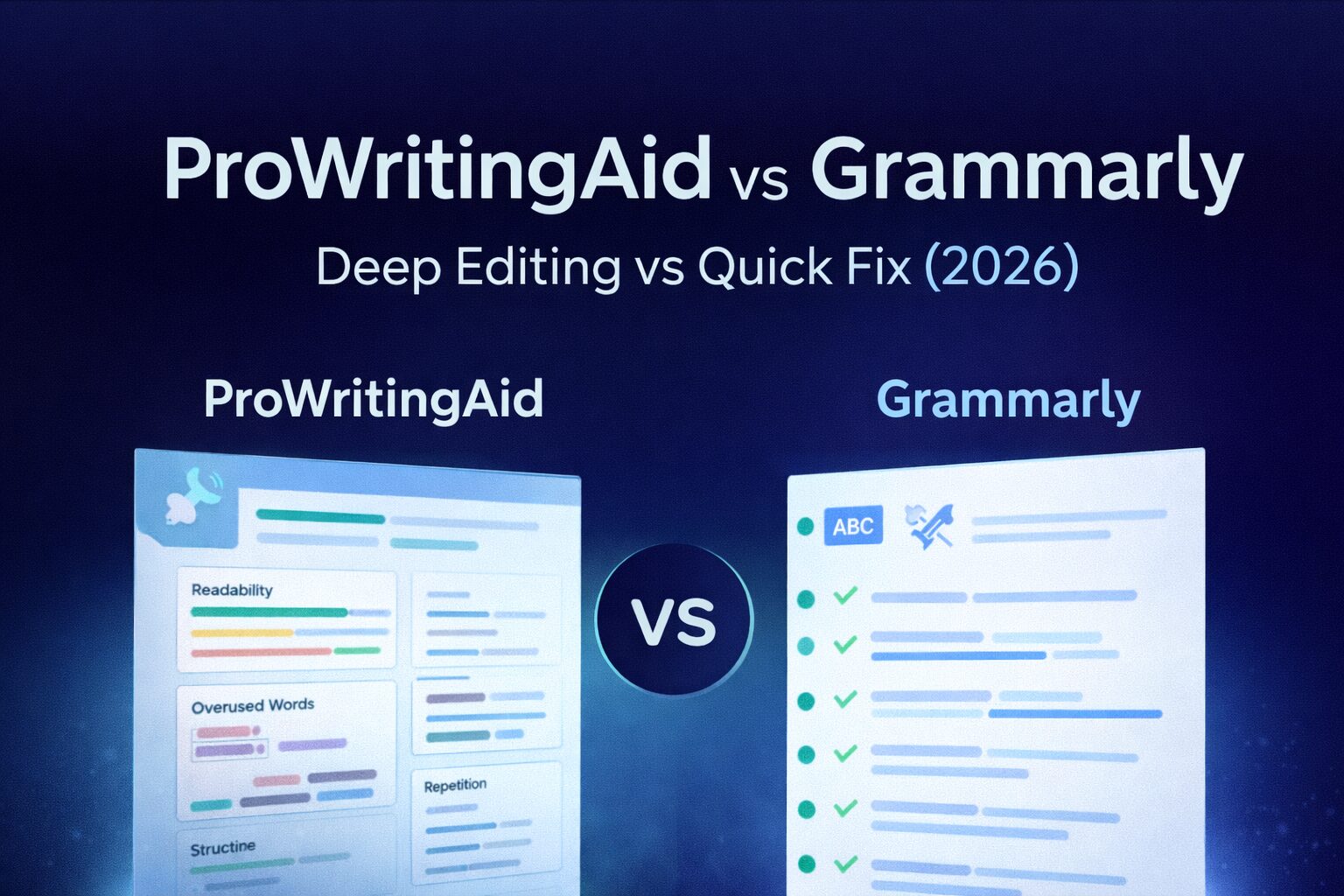
Grammarly edits sentences.
ProWritingAid edits thinking patterns.
If you’re comparing more editing tools beyond these two, we’ve broken down the full landscape in our Best AI Editing & Proofreading Tools in 2026 guide, including when editing tools help — and when they actually hurt clarity.
Feature Comparison (What Actually Matters)
| Feature | Grammarly | ProWritingAid |
|---|---|---|
| Grammar & spelling | ✅ Excellent | ✅ Strong |
| Sentence clarity | ✅ Fast fixes | ✅ Contextual |
| Style & tone depth | ❌ Limited | ✅ Very deep |
| Long-form analysis | ❌ Weak | ✅ Core strength |
| Learning curve | ✅ Beginner-friendly | ❌ Steep |
| Speed | ✅ Instant | ❌ Slower |
| Best for | Quick polish | Serious editing |
Grammarly — Editing & Proofreading
Best for:
- Grammar correction
- Sentence-level clarity
- Professional tone adjustment
- Emails, resumes, short blogs
Where Grammarly shines:
- Works in browsers, Google Docs, email
- Instant suggestions
- Minimal setup
Limitations (important):
- Over-corrects stylistic writing
- Can flatten creative or academic voice
- Weak for long-form structural edits
📌 Reality check:
Grammarly is best used as a final polish, not a thinking partner.
ProWritingAid — Deep Editing & Analysis
Best for:
- Long-form content
- Academic writing
- Technical or structured documents
- Writers who want to improve craft
Where ProWritingAid shines:
- Detailed reports (repetition, pacing, sentence length)
- Explains why changes matter
- Excellent for revision rounds
Limitations:
- Overwhelming for beginners
- Slower workflow
- Not ideal for quick edits
📌 Reality check:
ProWritingAid is an editing coach, not a speed tool.
Which Tool Should You Use? (Use-Case Based)
Students & Academic Writers
👉 ProWritingAid
- Better structure analysis
- Helps reduce repetition
- Improves clarity without rewriting intent
For students and researchers, editing is only one part of the workflow — we’ve explained safe, ethical usage in detail in our Best AI Writing Tools for Academic Research in 2026 guide.
Bloggers & Content Creators
👉 Both (different stages)
- Grammarly → final polish
- ProWritingAid → revision & flow improvement
If rewriting is your main goal, this belongs in AI paraphrasing tools, not editing.
Professionals & Freelancers
👉 Grammarly
- Speed matters
- Clients want clean, neutral tone
- Minimal learning curve
Free vs Paid — What’s Actually Worth It?
Grammarly Free:
- Basic grammar & spelling
- Enough for casual users
Grammarly Premium:
- Tone suggestions
- Clarity improvements
- Worth it if writing daily
ProWritingAid Free:
- Very limited reports
ProWritingAid Premium:
- Full analysis
- One-time lifetime plan (rare advantage)
- Worth it for serious writers
Common Editing Mistakes to Avoid (2026 Reality)
- Accepting every AI suggestion blindly
- Editing before finishing your draft
- Using editing tools as writing tools
- Optimizing tone at the cost of intent
Good editing improves clarity, not personality removal.
If your real need is rephrasing or reducing similarity rather than correcting grammar, that problem belongs to AI paraphrasing tools, not editors — we’ve covered that separately in our Best AI Paraphrasing Tools in 2026 guide.
Final Verdict (No Neutral Answer)
If you want:
- Speed, convenience, and safety → choose Grammarly
- Depth, growth, and long-form quality → choose ProWritingAid
The mistake isn’t choosing the wrong tool.
The mistake is expecting one tool to solve two different problems. Across writing communities and forums, the pattern is consistent — Grammarly is praised for speed and convenience, while ProWritingAid is preferred by users who care about structure, depth, and long-form quality.
At AI Tools Guide, we don’t hype tools — we test how AI actually works.
If your goal is to write clearly, edit responsibly, and improve without sounding robotic, this guide was written for you.